

HP
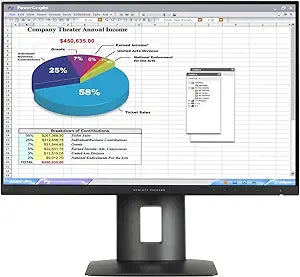
HP K7B99A8#ABA Z24n 24-Inch LED-Backlit LCD Monitor
Experience Seamless Multi-Display Productivity with the HP Z24n Monitor The HP Z24n is a 24-inch LED-backlit LCD monitor designed for seamless multi-display setups. Featuring a narrow bezel IPS display, it offers a virtually borderless screen for maximum impact imagery and optimal color accuracy...
$215.00*
View on Amazon
✓ In Stock on Amazon.com
*Price sourced from Amazon.com. Last updated:Aug 31, 2026.Price and availability are subject to change — details.
Affiliate Disclosure: As an Amazon Associate, Studio Supplies earns from qualifying purchases made through links on this page, at no additional cost to you. This helps support our editorial team.
Notice a mistake? Let Us Know
Overview
Experience Seamless Multi-Display Productivity with the HP Z24n Monitor
The HP Z24n is a 24-inch LED-backlit LCD monitor designed for seamless multi-display setups. Featuring a narrow bezel IPS display, it offers a virtually borderless screen for maximum impact imagery and optimal color accuracy, ensuring a professional and productive workspace.
Specifications:
- Brand: HP
- Model: K7B99A8#ABA Z24n
- Screen Size: 24 inches
- Panel Type: LED-Backlit LCD
- Bezel: Narrow Bezel
- Color Calibration: Factory Color Calibration
- Aspect Ratio: 16:10
- Color: Black
Key Features
Virtually borderless viewing
Out-of-the-box color
Ports aplenty for a perfect workspace
Specifications
Brand
HP
Model
Z24n
Screen Size
24-Inch
Display Technology
LED-Backlit LCD
Frequently Asked Questions
Does the HP Z24n monitor have a thin bezel design?
Yes, the HP Z24n monitor features virtually borderless viewing, contributing to a sleek appearance and minimizing distractions in multi-monitor configurations.
Is this monitor suitable for tasks requiring accurate colors?
The HP Z24n monitor is noted for providing out-of-the-box color accuracy, which makes it suitable for design work or other color-sensitive applications.
What kind of connectivity does the HP Z24n offer?
The HP Z24n monitor is equipped with "ports aplenty," which suggests a robust selection for various devices, aiming to create a perfect workspace.
Is there information available on the resolution of this monitor?
The provided features do not specify the exact resolution of the HP Z24n monitor.
Does the HP Z24n monitor come with built-in speakers?
The provided features do not mention built-in speakers, so it is likely that external audio solutions would be required.
Related Products


