



HP
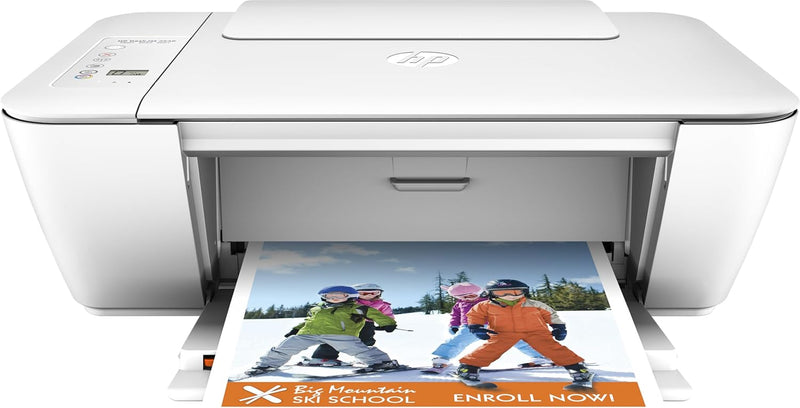
HP K9B55A#B1H DeskJet 2549 All-in-One Wireless Printer
Simplify Your Printing Experience with Wireless ConvenienceIntroducing the HP DeskJet 2549 All-in-One Printer, a compact and affordable solution for all your home printing, scanning, and copying needs. This printer offers easy wireless connectivity, allowing you to print from virtually anywhere i...
View price on Amazon
Affiliate Disclosure: As an Amazon Associate, Studio Supplies earns from qualifying purchases made through links on this page, at no additional cost to you. This helps support our editorial team.
Notice a mistake? Let Us Know
Overview
Simplify Your Printing Experience with Wireless Convenience
Introducing the HP DeskJet 2549 All-in-One Printer, a compact and affordable solution for all your home printing, scanning, and copying needs. This printer offers easy wireless connectivity, allowing you to print from virtually anywhere in your home. Its space-saving design and optional high-capacity cartridges make it a perfect choice for everyday use.
- Functions: Print, Copy, Scan
- Wireless Connectivity: Via built-in WiFi 802.11b/g/n
- Print Speed: Up to 7 ppm
- Mobile Printing: Print wirelessly from smartphones, tablets, and PCs; Apple AirPrint compatible
- Automatic Wireless Connect: Connect to your wireless network automatically
- Scanner Type: Sheetfed
- Max Copy Speed (Black & White): 20 ppm
- Compatible Devices: Smartphones, Tablets
- Sheet Size: 8.5 inch x 11 Inches, 8.25 inch x 11.7 Inches
- Hardware Interface: USB 2.0
- Resolution: 4800 x 1200
Specifications
Functionality
All-in-One (Print, Scan, Copy)
Connectivity
Wireless
Printer Series
DeskJet 2549
Frequently Asked Questions
Does the HP DeskJet 2549 printer have wireless capabilities?
Yes, the HP DeskJet 2549 is an all-in-one wireless printer, allowing you to print from various devices without a wired connection.
Can this printer also scan and copy documents?
Yes, the DeskJet 2549 is an all-in-one device, which means it offers printing, scanning, and copying functionalities.
What type of printing technology does the HP DeskJet 2549 use?
The HP DeskJet 2549 is a DeskJet series printer, indicating it uses inkjet technology for printing.
Is this printer suitable for home office use?
With its all-in-one functionality and wireless capabilities, it is designed to be a versatile solution for general home or small office needs.
Are there any specific mobile printing apps supported by this printer?
The listing does not specify particular mobile printing apps, but its wireless capability suggests it would work with standard mobile printing methods.
Related Products


