

HP
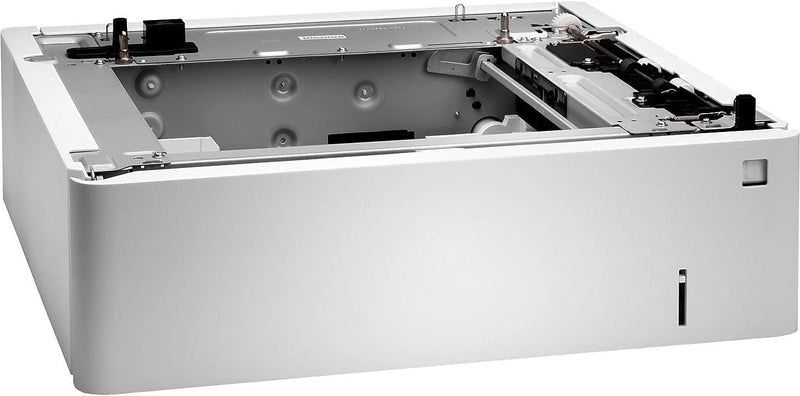
HP P1B09A Color LaserJet 550-Sheet Media Tray
3858267478W13.89 lbs
HP 550-sheet media tray for Color LaserJet Enterprise printers — reduce reloading and handle paper sizes from A6 to Legal.
$124.84*
View on Amazon
✓ In Stock on Amazon.com
*Price sourced from Amazon.com. Last updated:Aug 29, 2026.Price and availability are subject to change — details.
Affiliate Disclosure: As an Amazon Associate, Studio Supplies earns from qualifying purchases made through links on this page, at no additional cost to you. This helps support our editorial team.
Notice a mistake? Let Us Know
Overview
Key Features
Product Type: Media tray / feeder| Total Media Capacity: 550 sheets in 1 trays| Weight: 13.89 lbs| Service & Support: Limited warranty - 90 days| Designed For: HP Color LaserJet Enterprise M652dn, M652n, M653dn, M653x
Item Package Dimension: 25.4330708402L x 23.3858267478W x 9.7637795176H inches
Item Package Weight - 17.0637790788 Pounds
Item Package Quantity - 1
Product Type - PRINT COPY PAPER
Specifications
Brand
HP
Model
P1B09A
Product Type
Media Tray / Feeder
Total Media Capacity
550 sheets (1 tray)
Supported Paper Sizes
A6 to Legal
Compatible Printers
HP Color LaserJet Enterprise M652dn, M652n, M653dn, M653x
Frequently Asked Questions
Which HP printers is the P1B09A media tray compatible with?
This tray is compatible with the HP Color LaserJet Enterprise M652dn, M652n, M653dn, and M653x printers. It will not work with other HP printer models.
What paper sizes does this tray support?
The P1B09A supports paper sizes ranging from A6 up to Legal (8.5 x 14 inches), giving you flexibility to load various media sizes without swapping trays.
How many sheets can this tray hold at once?
It holds up to 550 sheets in a single tray, significantly increasing your printer's total paper capacity and reducing the frequency of reloads.
Can multiple P1B09A trays be added to a single printer?
Stacking additional trays depends on the specific printer model's maximum supported input capacity. Check your M652 or M653 printer documentation for the maximum number of optional trays allowed.
Does this tray support heavy or specialty media?
The tray is designed for standard office paper. Consult your printer's specifications for supported media weights and types when using this additional tray.
Related Products


