

Intel
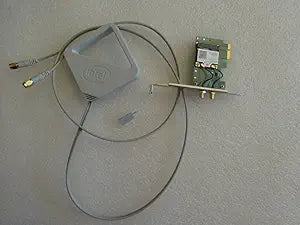
Intel 62205ANHMWDTX1 Centrino Advanced-N Desktop WiFi
WiFi 300
Enhance Your Desktop's Wireless Connectivity The Intel Centrino Advanced-N 6205 for Desktop delivers premium Wi-Fi performance with exceptional Intel-only features. This multi-stream (2x2), dual-band, Wi-Fi product with Wi-Fi Direct* combines faster speeds (up to 300 Mbps), greater range, and mor...
View price on Amazon
Affiliate Disclosure: As an Amazon Associate, Studio Supplies earns from qualifying purchases made through links on this page, at no additional cost to you. This helps support our editorial team.
Notice a mistake? Let Us Know
Overview
Enhance Your Desktop's Wireless Connectivity
The Intel Centrino Advanced-N 6205 for Desktop delivers premium Wi-Fi performance with exceptional Intel-only features. This multi-stream (2x2), dual-band, Wi-Fi product with Wi-Fi Direct* combines faster speeds (up to 300 Mbps), greater range, and more reliability with Intel(R) Wireless Display, Intel(R) Smart Connect Technology, and Intel(R) PROSet/Wireless Software.
Specifications:
- Brand: Intel
- Model: 62205ANHMWDTX1
- Wireless Protocol: 802.11a/b/g/n
- Frequency Band: 2.4 GHz & 5 GHz
- Maximum Speed: Up to 300 Mbps
- Interface: PCI Express*
- Features: Intel Wireless Display, Intel Smart Connect Technology, Intel PROSet/Wireless Software
- Antenna: Optimized external antenna
Key Features
300 Mbps Wireless Transmission Speed
Wi-Fi Adapter
802.11n
PCI Express
Specifications
Model
62205ANHMWDTX1
Wireless Standard
802.11n
Wireless Transmission Speed
300 Mbps
Interface
PCI Express
Device Type
Wi-Fi Adapter
Form Factor
Desktop
Frequently Asked Questions
What is the wireless speed of this Intel Centrino Advanced-N WiFi adapter?
This Wi-Fi adapter offers a wireless transmission speed of 300 Mbps.
What wireless standard does this adapter support?
The Intel 62205ANHMWDTX1 Centrino Advanced-N Desktop WiFi adapter supports the 802.11n wireless standard.
What type of slot is required to install this Wi-Fi adapter?
This Wi-Fi adapter connects via a PCI Express slot within your desktop computer.
Is this Wi-Fi adapter suitable for laptops?
No, this Intel Centrino Advanced-N adapter is specifically designed as a desktop Wi-Fi solution.
Will this adapter work with older Wi-Fi routers?
As it supports the 802.11n standard, it should be compatible with routers also supporting 802.11n and earlier standards.
Related Products


