



Intel
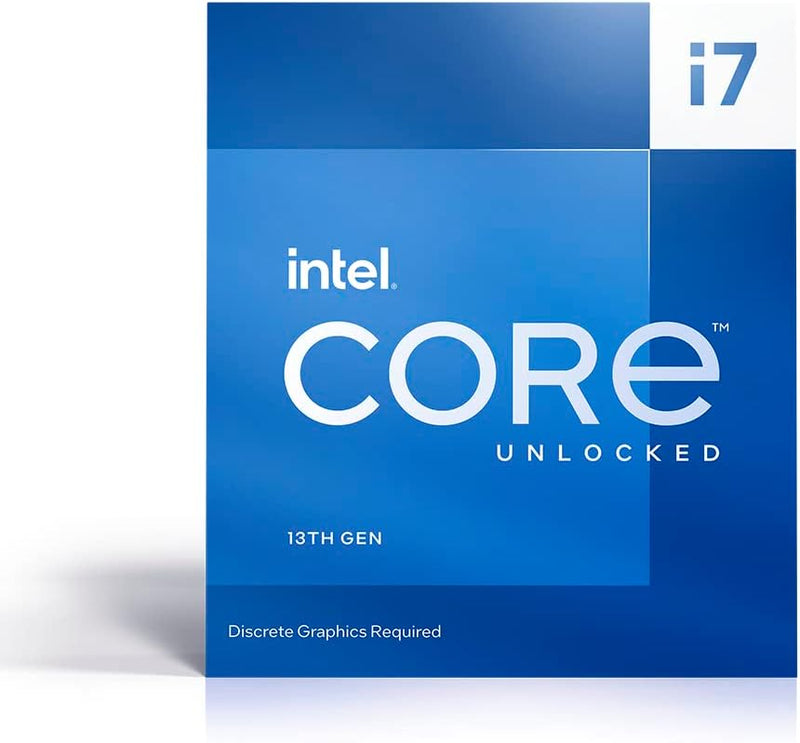
Intel I7-13700KF Core i7 13th Gen CPU Processor
I7-13700KF
Intel's i7-13700KF packs 16 cores and 24 threads into the LGA 1700 platform — enough hybrid compute headroom to handle gaming, 4K editing, and heavy multitasking simultaneously.
View price on Amazon
Affiliate Disclosure: As an Amazon Associate, Studio Supplies earns from qualifying purchases made through links on this page, at no additional cost to you. This helps support our editorial team.
Notice a mistake? Let Us Know
Overview
Key Features
3.4GHz Operating Frequency, LGA 1700 Socket
Intel Core i7 series
Intel Boxed Desktop CPU
Intel Core i7 13700KF with 30MB cache
16 core /24 threads
Specifications
Series
Intel Core i7
Model
13700KF
Operating Frequency
3.4GHz
Socket Type
LGA 1700
Cache
30MB
Cores
16
Threads
24
Similar Products
Other products from the same family that visitors often consider:
 Currently Unavailable
Intel CORE I7 - 4960X - 3.6 GHz LGA2011 CPU Processor
Check on Amazon → ✓ Available
Intel LYSB00LGO3X8U-CMPTRACCS Core i7 4771 Processor
$130.00
View on Amazon → ✓ Available
Intel i7 4790K Core i7 Processor (Renewed)
View on Amazon → ✓ Available
Intel BX80647I74910MQ Core i7 Mobile Processor
$349.88
View on Amazon → ✓ Available
Intel BX80619I73960X Core i7 Extreme CPU
$340.81
View on Amazon →Frequently Asked Questions
Does the i7-13700KF include integrated graphics, and what does the "KF" designation mean?
No — the "F" in KF designates that this processor has its integrated graphics disabled. You must use a discrete GPU; there is no fallback display output from the CPU itself. The "K" designation means the processor is unlocked for overclocking on compatible Z-series motherboards. This is a deliberate trade: the KF variant typically costs slightly less than the standard K, and if you're using a dedicated GPU anyway — which any performance gaming or content creation build does — the missing iGPU costs you nothing in practice.
What motherboard socket and chipset does the i7-13700KF require?
The i7-13700KF uses the LGA 1700 socket. It is compatible with Intel 600-series (Z690, B660) and 700-series (Z790, B760) motherboards. For overclocking and full performance access, a Z790 or Z690 board is recommended — B-series boards support the CPU but lock overclocking capability. Verify BIOS support for 13th-gen processors on 600-series boards, as some may require a BIOS update before the CPU is recognized.
What is the practical performance difference between the 8 P-cores and 8 E-cores, and how does Intel Thread Director manage them?
The 8 Performance-cores handle latency-sensitive, single-threaded work — game frames, real-time audio processing, interactive tasks. The 8 Efficient-cores absorb background and parallelizable workloads — background rendering, system services, multi-threaded compilation. Intel Thread Director, operating in partnership with Windows 11's scheduler, assigns threads to the appropriate core type dynamically. The result is that the P-cores stay available for the work that feels fast, while E-cores handle the rest without starving the primary workload. Windows 11 extracts this more effectively than Windows 10.
Does the i7-13700KF include a cooler in the box?
No. The "K" series processors do not ship with an included CPU cooler. Budget for a third-party cooler — the i7-13700KF has a 125W TDP base with boost states that can push well above that under sustained all-core load. A 240mm or 280mm AIO liquid cooler, or a high-end tower air cooler (e.g., Noctua NH-D15 class), is recommended for sustained workloads and overclocking headroom.
How does the i7-13700KF compare to the i9-13900K for content creation workloads?
The i9-13900K adds 8 additional E-cores (24 total cores vs 16) and higher boost clocks, which benefits heavily multithreaded workloads like 3D rendering and video encoding at the top end. For most content creation workflows — video editing, color grading, podcast production, game development — the i7-13700KF's 16-core configuration is rarely a bottleneck and delivers performance within a few percent of the i9 at a meaningfully lower cost and thermal ceiling.
Related Products


