

iZotope
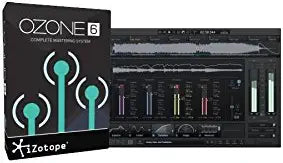
iZotope Ozone 6 Digital Download Mastering Software
Master Your Audio with iZotope Ozone 6 Transform your mixes into professional-grade masters with iZotope Ozone 6. This complete mastering system provides all the essential tools needed to produce a full and polished sound. With its intuitive interface and modern workflow, Ozone 6 guides and inspi...
Check availability
Affiliate Disclosure: As an Amazon Associate, Studio Supplies earns from qualifying purchases made through links on this page, at no additional cost to you. This helps support our editorial team.
Notice a mistake? Let Us Know
Overview
Master Your Audio with iZotope Ozone 6
Transform your mixes into professional-grade masters with iZotope Ozone 6. This complete mastering system provides all the essential tools needed to produce a full and polished sound. With its intuitive interface and modern workflow, Ozone 6 guides and inspires your creativity at every step.
Specifications:
- Mastering Tools: Equalizer, Dynamics, Maximizer, Exciter, Imager, Post Equalizer, Dither, and Dynamic EQ (Advanced only)
- Analog Emulation: Harness the texture of classic analog gear.
- Visual Feedback: Robust, real-time visual feedback throughout all modules.
- Presets: Comprehensive bank of presets for various genres.
- Standalone/Plug-in: Master audio within or outside your audio editing software.
Key Features
Get essential mastering tools: Equalizer, Dynamics, Maximizer, Exciter, Imager, Post Equalizer, Dither, and Dynamic EQ [Advanced only].
Harness the texture of classic analog gear with even deeper digital control.
Make smarter mix decisions aided by robust, real-time visual feedback throughout all modules.
Quickly achieve authentic sounds for any genre with a comprehensive bank of presets.
Master your audio within or outside your audio editing software with both plug-in and standalone options.
Specifications
Software Type
Digital Download Mastering Software
Included Mastering Tools
Equalizer, Dynamics, Maximizer, Exciter, Imager, Post Equalizer, Dither
Advanced Only Feature
Dynamic EQ
Feedback Type
Robust, real-time visual
Operational Modes
Plug-in, Standalone
Frequently Asked Questions
Is iZotope Ozone 6 compatible with both Windows and macOS operating systems?
The product features do not specify operating system compatibility, so this would need to be verified separately.
What kind of real-time visual feedback does Ozone 6 provide?
Ozone 6 provides robust, real-time visual feedback throughout all modules to aid in making informed mix decisions.
Can this software be used by a beginner in audio mastering, or is it more for professionals?
While it offers a comprehensive bank of presets to quickly achieve sounds for any genre, effective mastering generally benefits from some prior audio engineering knowledge.
Is the Dynamic EQ module a separate purchase or part of a higher-tier version?
The Dynamic EQ is specified as "Advanced only," indicating it is available in the Advanced version of Ozone 6.
Does the digital download require a constant internet connection to operate after installation?
Typically, digital download software may require an internet connection for initial activation and updates, but not necessarily for constant operation.
Related Products


