



Lenovo
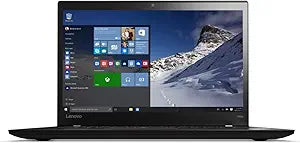
Lenovo 20F9005BUS ThinkPad T460s i7-6600U 20GB 512GB SSD 14" Ultrabook
A 6th-gen Core i7 with 20GB RAM and a 2560x1440 WQHD display gives this ultrabook a per-pixel resolution advantage most 14-inch business laptops still can't match.
Check availability
Affiliate Disclosure: As an Amazon Associate, Studio Supplies earns from qualifying purchases made through links on this page, at no additional cost to you. This helps support our editorial team.
Notice a mistake? Let Us Know
Overview
Specifications
Processor
Intel Core i7-6600U, Dual-Core, 2.60GHz base / 3.4GHz boost
Memory
20GB DDR3
Storage
512GB SSD, SATA III
Display
14" LCD, 2560x1440 WQHD
Graphics
Intel HD Graphics 520
Wireless
Intel 8260, 802.11ac
Operating System
Windows 7 Pro 64-bit (Windows 10 Pro via downgrade rights)
Form Factor
Ultrabook, 14-inch
Frequently Asked Questions
What does the i7-6600U deliver in terms of sustained performance in this chassis?
The i7-6600U is a dual-core Skylake-U chip with Hyper-Threading, running at 2.6GHz base with a 3.4GHz boost. It's a 15W TDP mobile processor designed for sustained, thermally-controlled performance rather than burst peaks. In a ThinkPad chassis with Lenovo's thermal management, the 6600U typically sustains boost clocks well through productivity workloads — Office, browser tasks, and video conferencing hit no practical wall.
Why does this ship with 20GB of RAM rather than a standard 16GB or 32GB configuration?
The T460s supports a mix of soldered LPDDR3 and a single SO-DIMM slot. The 20GB here likely represents 4GB soldered plus a 16GB SO-DIMM module. This is an unusual but not uncommon ThinkPad configuration — the asymmetric setup does break dual-channel memory operation, which has a measurable but typically minor performance impact for CPU-integrated graphics tasks.
What does the 2560x1440 WQHD display mean for daily productivity?
At 2560x1440 on a 14-inch panel, pixel density reaches approximately 210 ppi — substantially sharper than the 1080p displays common in this class. Text rendering is noticeably crisper, and you can comfortably run two documents side-by-side at 100% scaling. The trade-off is slightly increased battery consumption versus a 1080p panel at the same brightness setting.
Does this laptop ship with Windows 10, and is the license legitimate?
It ships with Windows 7 Professional 64-bit pre-installed, with Windows 10 Pro available through Microsoft's downgrade rights. The Windows 10 Pro license is legitimate — this is a standard OEM configuration for business ThinkPads of this era. Upgrading to Windows 10 Pro is straightforward via Microsoft's upgrade path.
What storage upgrade options does the T460s support?
The T460s uses an M.2 2242 or 2280 SATA slot for its primary SSD — the 512GB drive here is SATA III, capping sequential reads at roughly 550MB/s. Some T460s configurations also include a secondary M.2 slot. NVMe drives are generally not supported in the primary M.2 slot on this generation, so SATA SSD remains the practical upgrade path.
Related Products


