



Lenovo
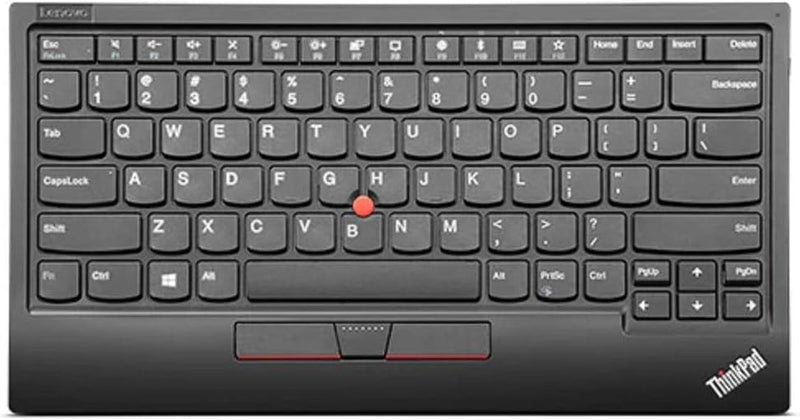
Lenovo 4Y40X49493 ThinkPad TrackPoint Keyboard II Bluetooth Wireless
Experience Precision Typing with a Classic ReimaginedIntroducing the Lenovo ThinkPad TrackPoint Keyboard II, a modern take on a time-tested design. Seamlessly switch between Bluetooth and Wireless connectivity for a clutter-free workspace and enjoy the familiar comfort and accuracy of the TrackPo...
View price on Amazon
Affiliate Disclosure: As an Amazon Associate, Studio Supplies earns from qualifying purchases made through links on this page, at no additional cost to you. This helps support our editorial team.
Notice a mistake? Let Us Know
Overview
Experience Precision Typing with a Classic Reimagined
Introducing the Lenovo ThinkPad TrackPoint Keyboard II, a modern take on a time-tested design. Seamlessly switch between Bluetooth and Wireless connectivity for a clutter-free workspace and enjoy the familiar comfort and accuracy of the TrackPoint navigation system, all in a sleek, portable package.
- Connectivity: Wired, Wireless (Bluetooth)
- Compatible Devices: Laptop, PC, Tablet
- Keyboard Description: Wireless
- Recommended Use: Office
- Special Features: Wireless, Bluetooth
- Color: Pure Black
- Number of Keys: 84
- Keyboard Backlighting: Single Color
- Style: Modern
- Product Dimensions: 12.01 x 6.46 x 0.54 inches
- Item Weight: 1.14 pounds
- Batteries: 1 Lithium Ion battery (included)
Specifications
Model
ThinkPad TrackPoint Keyboard II
Connectivity
Bluetooth Wireless
Pointing Device
TrackPoint
Frequently Asked Questions
What type of connectivity does the Lenovo ThinkPad TrackPoint Keyboard II use?
The Lenovo ThinkPad TrackPoint Keyboard II utilizes Bluetooth Wireless connectivity, offering flexible setup options.
Does this keyboard include a mouse or pointing device?
Yes, it integrates the ThinkPad TrackPoint, which serves as a pointing device for precise cursor control without a separate mouse.
Is this keyboard suitable for users familiar with ThinkPad laptops?
Yes, it features classic ThinkPad keys, designed to provide a familiar and comfortable typing experience consistent with ThinkPad laptops.
Is this a full-size keyboard with a numeric keypad?
The description does not specify if it's a full-size keyboard with a numeric keypad, but it is typically a compact design characteristic of TrackPoint keyboards.
How portable is this keyboard?
Its wireless nature and implied compact design make it suitable for various setups and potentially for travel, though specific dimensions are not provided.
Related Products


