



Lenovo
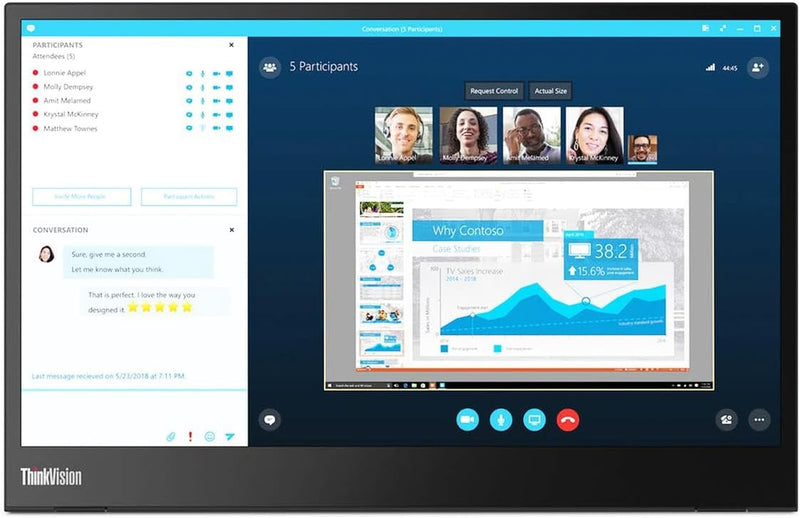
Lenovo M14 ThinkVision 14" FHD USB-C Portable Monitor
FHD1920 x 1080USB-CDisplayPort26 lbs
Ultra-slim 14-inch portable monitor that adds a second screen to your laptop with a single USB-C cable.
View price on Amazon
Affiliate Disclosure: As an Amazon Associate, Studio Supplies earns from qualifying purchases made through links on this page, at no additional cost to you. This helps support our editorial team.
Notice a mistake? Let Us Know
Overview
Key Features
14" Fhd 1920 x 1080 IPS
16. 7 million colors, 300 nit typical, 6ms with old - 60 Hz refresh
2 x USB Type-C ports that supports DisplayPort 1. 2 Alt Mode and Pd2. 0
Low Blue Light Technology, Kensington lock slot
Tilt adjustable, weight 1. 26 lbs
Specifications
Screen Size
14 inches
Resolution
1920 x 1080 (Full HD)
Panel Type
IPS
Brightness
300 nits
Response Time
6ms
Refresh Rate
60 Hz
Colors
16.7 million
Ports
2x USB Type-C (DisplayPort 1.2 Alt Mode, PD 2.0)
Weight
1.26 lbs
Security
Kensington Lock Slot
Brand
Lenovo
Model
M14
Frequently Asked Questions
Does the ThinkVision M14 require an external power adapter?
No, the M14 draws power directly from your laptop through the USB-C connection, so no separate power adapter is needed. However, your laptop must support USB-C with DisplayPort Alt Mode.
Can I use this monitor with any USB-C laptop?
The monitor requires a USB-C port that supports DisplayPort 1.2 Alt Mode. Not all USB-C ports support video output, so check your laptop's specifications. Standard USB-C data-only ports will not work.
Does the Lenovo M14 have built-in speakers?
No, the ThinkVision M14 does not include built-in speakers. You will need to use your laptop's speakers, headphones, or an external audio device for sound output.
How does the monitor stand up on a desk?
The M14 uses a built-in kickstand that folds out from the back of the display, providing tilt adjustment. It does not require a separate stand, keeping the setup simple and portable.
Can two M14 monitors be daisy-chained together?
While the M14 has two USB-C ports, they are designed for passthrough charging and single-cable connectivity, not for daisy-chaining multiple monitors together.
Related Products


