

LG
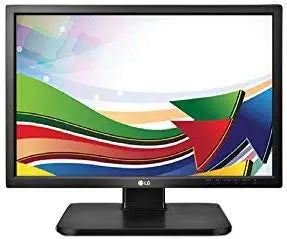
LG 20CAV37K-B 19.5" LED Monitor (Renewed)
1440 x 900100 x 100USB 2.0
Affordable Visuals: LG 20CAV37K-B 19.5" LED-Lit Monitor (Renewed) Enjoy clear and crisp visuals with the LG 20CAV37K-B LED-Lit Monitor. This renewed 19.5-inch monitor offers a comfortable viewing experience for everyday tasks and multimedia applications. Specifications: Brand: LG Model: 2...
View price on Amazon
Affiliate Disclosure: As an Amazon Associate, Studio Supplies earns from qualifying purchases made through links on this page, at no additional cost to you. This helps support our editorial team.
Notice a mistake? Let Us Know
Overview
Affordable Visuals: LG 20CAV37K-B 19.5" LED-Lit Monitor (Renewed)
Enjoy clear and crisp visuals with the LG 20CAV37K-B LED-Lit Monitor. This renewed 19.5-inch monitor offers a comfortable viewing experience for everyday tasks and multimedia applications.
Specifications:
- Brand: LG
- Model: 20CAV37K-B
- Screen Size: 19.5 inches
- Resolution: 1440 x 900
- Response Time: 5ms
- Inputs: D-Sub, DVI, USB 2.0, Audio input, Headphone out
- Mounting Type: VESA 100 x 100 mm
- Pixel Pitch: 0.2907Mm(h) x 0.2915mm (V)
Key Features
Pixel Pitch: 0.2907Mm(h) x 0.2915mm (V)
Response time: 5ms
Input: D-Sub in, USB 2.0, headphone out, DVI out, Audio input
Resolution: 1440 x 900
Mounting type: VESA 100 x 100 mm
50 hertz
Specifications
Brand
LG
Model
20CAV37K-B
Screen Size
19.5 inches
Display Technology
LED
Resolution
1440 x 900
Response Time
5ms
Refresh Rate
50 hertz
Pixel Pitch
0.2907Mm(h) x 0.2915mm (V)
Inputs
D-Sub in, USB 2.0, Audio input
Outputs
headphone out, DVI out
Mounting Type
VESA 100 x 100 mm
Condition
Renewed
Frequently Asked Questions
What does "Renewed" mean for this LG 19.5" LED Monitor?
"Renewed" signifies that the monitor has been professionally inspected, tested, and cleaned to ensure it functions and looks like new, offering a reliable product.
Is the 1440 x 900 resolution considered high definition?
While 1440 x 900 provides a decent workspace, it is not considered Full HD (1920 x 1080), which offers a higher pixel count and crisper image quality.
Can this monitor be mounted on a VESA-compatible arm?
Yes, this LG monitor features VESA 100 x 100 mm mounting, making it compatible with a wide range of VESA-standard monitor arms and wall mounts.
What is the significance of the 50 hertz refresh rate?
A 50 hertz refresh rate means the screen updates 50 times per second; while acceptable for standard productivity, it is lower than the common 60Hz and might be noticeable during fast-paced motion.
Does this monitor have HDMI input?
No, the listing indicates inputs are D-Sub in, USB 2.0, and Audio input, with DVI out; HDMI is not listed as an input option.
Is the 5ms response time suitable for gaming?
A 5ms response time is generally acceptable for casual gaming; however, competitive gamers often prefer faster response times (1ms-2ms) to minimize ghosting in fast-paced titles.
What type of devices can I connect using the USB 2.0 port?
The USB 2.0 port can be used to connect various peripherals such as keyboards, mice, or flash drives, but it will operate at USB 2.0 speeds, which are slower than modern USB standards.
Related Products


