



LG
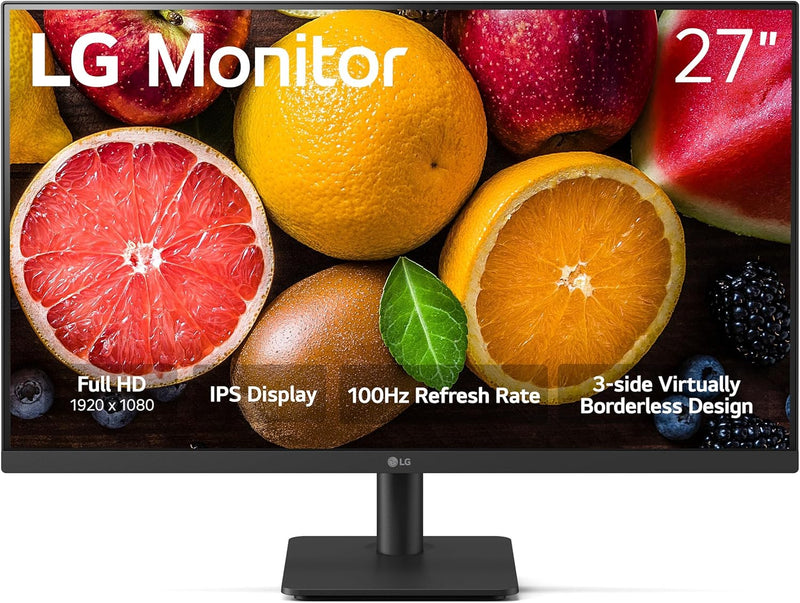
LG 27MS500-B.AUS 27-Inch IPS FHD 100Hz Monitor
FHD1920x1080
IPS clarity and 100Hz fluidity in a 27-inch panel that punches above its price class for everyday productivity and casual gaming.
$121.63*$129.99Save 6%
View on Amazon
✓ In Stock on Amazon.com
*Price sourced from Amazon.com. Last updated:Aug 30, 2026.Price and availability are subject to change — details.
Affiliate Disclosure: As an Amazon Associate, Studio Supplies earns from qualifying purchases made through links on this page, at no additional cost to you. This helps support our editorial team.
Notice a mistake? Let Us Know
Overview
Key Features
IPS Full HD Display - At 1920x1080 resolution, LG's Full HD IPS monitors feature vibrant color and visual clarity even at wide viewing angles. Work through your projects with ease and efficiency.
100Hz Refresh Rate & 5ms(GTG) - With a 100Hz refresh rate and 5ms(GTG) response time, on screen visuals are rendered clearly for ultra-smooth motion and fluidity.
Dynamic Action Sync - Get a pro-level experience with the closest thing to real-time gaming. Dynamic Action Sync elevates your gameplay so you can respond every moment of the action with reduced input tag and unbelievable performance.
Visual Comfort - Reader Mode adjusts color temperature and luminance, supporting a suitable viewing experience for reading on a monitor. Flicker Safer reduces invisible flickering on the screen.
Easy Control - Easily control display settings with a few clicks using OnScreen Control software.
Ergonomic Design - The ergonomic stand makes it easy to adjust the tilt of the screen to the optimal position for you.
Specifications
Screen Size
27 inches
Resolution
1920×1080 (Full HD)
Panel Type
IPS
Refresh Rate
100Hz
Response Time
5ms (GTG)
Connectivity
HDMI
Design
Borderless (3-side)
Stand Adjustment
Tilt only
Features
Reader Mode, Black Stabilizer, Dynamic Action Sync, Flicker Safe, OnScreen Control
Frequently Asked Questions
Does the 100Hz refresh rate require a specific cable or port?
Yes — you'll need to connect via HDMI and ensure your source outputs at 100Hz. The 27MS500-B ships with a single HDMI port; DisplayPort is not available on this model, so verify your GPU or laptop supports 100Hz output over HDMI before purchase.
How does the 5ms GTG response time affect motion clarity?
GTG (gray-to-gray) at 5ms is adequate for casual gaming and general use, but it's not a competitive-grade spec. You'll see smooth motion in most content, but fast-twitch competitive gaming may reveal minor ghosting compared to panels rated at 1ms GtG.
What does Dynamic Action Sync actually do on this monitor?
DAS reduces input lag by bypassing some internal image processing stages, bringing the panel closer to real-time signal pass-through. It's a game mode toggle — not adaptive sync like G-Sync or FreeSync — so screen tearing can still occur if your frame rate diverges from 100Hz.
Does this monitor support VESA mounting?
The 27MS500-B includes a tilt-only ergonomic stand with no height or swivel adjustment. VESA compatibility is not confirmed in the product specifications, so verify mount compatibility before purchasing a third-party arm.
Is the IPS panel factory calibrated?
LG does not advertise factory calibration or a deltaE guarantee on this model. The IPS panel delivers wide viewing angles and consistent color, but for color-critical work, expect to perform your own calibration with a colorimeter.
Related Products


