



LG
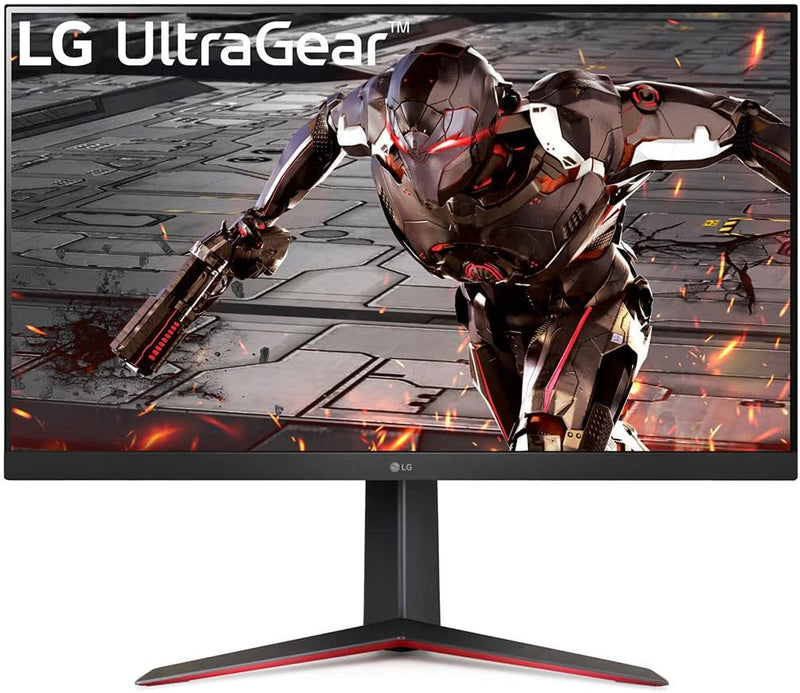
LG 32GN650-B Ultragear Gaming Monitor 32” QHD 165Hz 1ms HDR
QHD2560 x 1440HDR
32 inches of QHD at 165Hz with 1ms motion blur reduction closes the gap between competitive-grade refresh and color-accurate workspace display.
View price on Amazon
Affiliate Disclosure: As an Amazon Associate, Studio Supplies earns from qualifying purchases made through links on this page, at no additional cost to you. This helps support our editorial team.
Notice a mistake? Let Us Know
Overview
Key Features
32” QHD (2560 x 1440) Display.Aspect ratio:16:9.Viewing Angle:178.0 degrees.Response time:5.0 milliseconds.Specific uses for product - Gaming
165Hz Refresh Rate with 1ms Motion Blur Reduction
AMD FreeSync
sRGB 95% Color Gamut with HDR 10
3-Side Virtually Borderless Display with Tilt/Height/Pivot Adjustable Stand
Brightness is 350cd/m². Contrast Ratio 3000:1
Specifications
Screen Size
32 inches
Resolution
QHD (2560 x 1440)
Panel Type
VA
Refresh Rate
165Hz
Response Time
1ms MBR / 5ms GtG
HDR
HDR10
Color Gamut
sRGB 95%
Brightness
350 cd/m²
Contrast Ratio
3000:1
Viewing Angle
178°
Variable Sync
AMD FreeSync (Adaptive Sync)
Aspect Ratio
16:9
Stand Adjustments
Tilt, Height, Pivot
Dimensions (with stand)
28.1 x 19.3 x 11.5 inches
Weight
11.22 pounds
Power
AC, 240V
Frequently Asked Questions
What is the actual panel type on the 32GN650-B, and how does it affect color accuracy?
The 32GN650-B uses a VA panel. VA delivers deeper blacks and a higher static contrast ratio (3000:1 on this unit) compared to IPS, but typically trails IPS in off-axis viewing uniformity. The 95% sRGB gamut coverage is adequate for content creation at sRGB standards; it is not a wide-gamut DCI-P3 display, so professional color grading work should account for that ceiling.
Does the 165Hz refresh rate require a specific GPU output, and what cable do I need?
165Hz at 2560x1440 requires DisplayPort 1.2 or higher — a single DP cable will handle the full bandwidth. HDMI 2.0 on this monitor tops out at 144Hz at QHD. If you're connecting via HDMI and not seeing 165Hz in your display settings, switch to DisplayPort.
What does 1ms MBR actually mean, and is it the same as 1ms response time?
No. MBR stands for Motion Blur Reduction — it's a backlight strobing feature that reduces perceived blur during fast motion. It is not the same as pixel response time (GtG), which is closer to 5ms on this panel. MBR and AMD FreeSync cannot run simultaneously; enabling MBR disables variable refresh rate.
Is AMD FreeSync on this monitor compatible with NVIDIA GPUs?
Yes. AMD FreeSync is based on the VESA Adaptive Sync standard, and NVIDIA supports it via G-Sync Compatible mode on Pascal-generation (GTX 10xx) and newer GPUs. Enable G-Sync Compatible in the NVIDIA Control Panel. Tearless, stutter-free gameplay will function, though it will not carry the full G-Sync certification.
How much height adjustment does the stand offer?
The 32GN650-B stand supports tilt, height adjustment, and pivot (portrait mode rotation). The height range allows ergonomic positioning without a monitor arm, which is meaningful on a 32-inch panel where eye-level alignment matters more than on smaller screens.
Related Products


