

Logitech
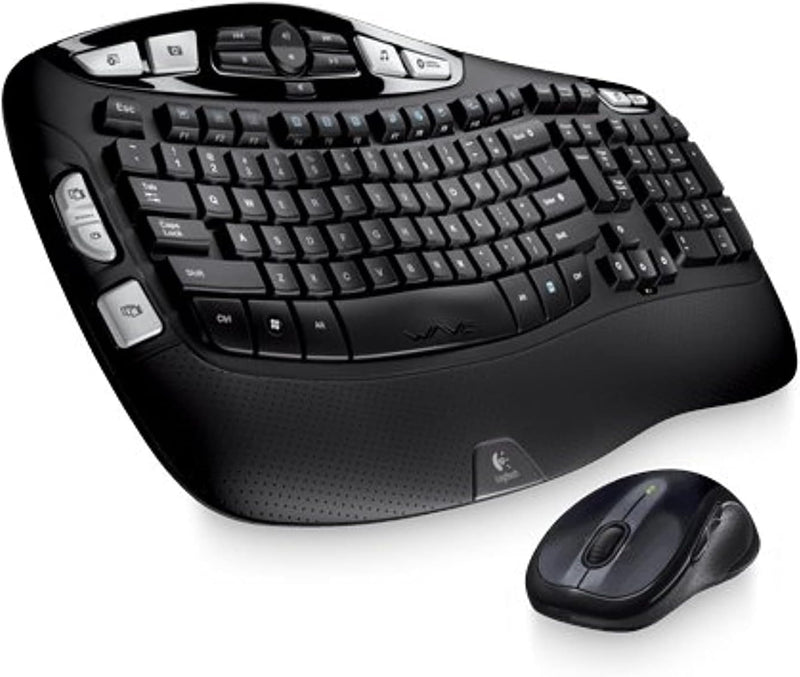
Logitech Wireless Wave Combo MK550 Keyboard and Mouse
An ergonomic wireless keyboard and mouse combo with a wave-shaped key layout, long-range 2.4 GHz connectivity, and 128-bit AES encryption.
$399.99*
View on Amazon
✓ In Stock on Amazon.com
*Price sourced from Amazon.com. Last updated:Aug 28, 2026.Price and availability are subject to change — details.
Affiliate Disclosure: As an Amazon Associate, Studio Supplies earns from qualifying purchases made through links on this page, at no additional cost to you. This helps support our editorial team.
Notice a mistake? Let Us Know
Overview
Key Features
Wave-shaped key frame: Your fingers vary in length. So with its gradual wave-shaped contour, this keyboard supports the actual, varied lengths of your fingers.
Hand-friendly laser mouse: Contoured sides and soft rubber grips keep your hand comfortable, supported, and in control. Youll enjoy smooth, precise tracking on virtually any surface.
Logitech Unifying receiver: The tiny wireless receiver stays in your laptop—theres no need to unplug it when you move around—and connects both the keyboard and mouse.
128-bit AES encryption: It helps protect your information by encrypting data transfer between the keyboard and receiver with one of the highest levels of data encryption available.
Advanced 2.4 GHz wireless connectivity: So you can work or play in more places—like your comfy couch—the long-range wireless connection virtually eliminates delays, dropouts, and interference.
Specifications
Brand
Logitech
Model
920-002807
Keyboard Design
Comfort Wave (full-size with number pad)
Mouse
Contoured laser mouse with rubber grips
Connectivity
Wireless 2.4 GHz (Logitech Unifying receiver)
Encryption
128-bit AES
Number of Keys
101
Hand Orientation
Ambidextrous
Batteries
AA (included)
Color
Black
Frequently Asked Questions
What makes the wave-shaped keyboard design more comfortable than a standard flat keyboard?
The keys are arranged in a gradual wave contour that follows the natural, varying lengths of your fingers, so each key sits at a height that reduces finger stretching and wrist strain during extended typing sessions.
Do the keyboard and mouse use separate USB receivers?
No. Both connect through a single Logitech Unifying receiver, which is small enough to leave plugged into your laptop permanently without blocking adjacent ports.
What type of batteries does this combo use and how long do they last?
The keyboard uses two AA batteries and the mouse uses two AA batteries. Logitech rates the keyboard for up to three years of battery life and the mouse for up to two years under normal use.
Does the 128-bit AES encryption protect both the keyboard and mouse?
The 128-bit AES encryption applies to the keyboard's data transmission, protecting your keystrokes from interception. Mouse movements are not typically encrypted as they do not carry sensitive input data.
Can I use this combo with multiple computers?
The Logitech Unifying receiver pairs with one computer at a time, but you can move the receiver between machines. Logitech also sells additional Unifying receivers if you want to switch between computers more easily.
Related Products


