
Logitech
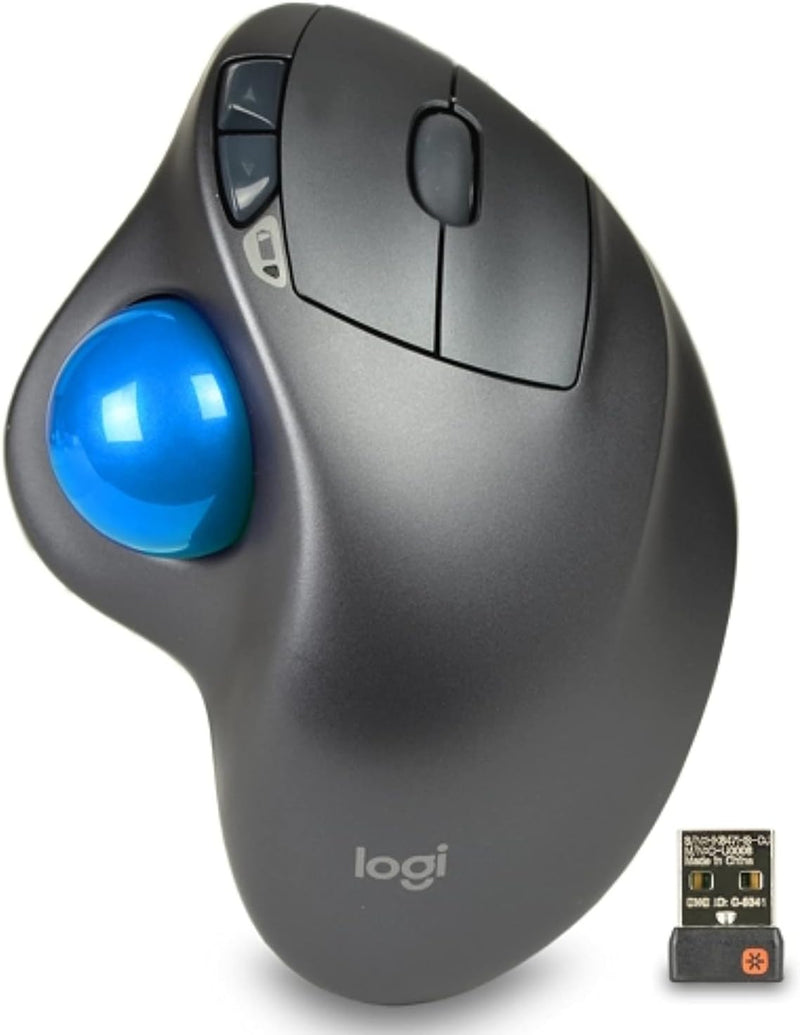
Logitech 910-001799 M570 Wireless Trackball Mouse
Ditch the desk-sliding mouse — Logitech's M570 trackball keeps your hand relaxed and your cursor precise.
Check availability
Affiliate Disclosure: As an Amazon Associate, Studio Supplies earns from qualifying purchases made through links on this page, at no additional cost to you. This helps support our editorial team.
Notice a mistake? Let Us Know
Overview
Key Features
Logitech Advanced 2.4 GHz wireless
5-buttons including Back/Forward buttons
Scroll wheel
Compact footprint
Includes Logitech Unifying receiver - stores inside of mouse
Specifications
Brand
Logitech
Model
M570
Connectivity
Wireless (2.4 GHz USB Receiver)
Receiver
Logitech Unifying (stores inside mouse)
Sensor Technology
Laser
Number of Buttons
5
Scrolling
Scroll Wheel
Operating Distance
Approx. 10m (30 feet)
Design
Right-handed, sculpted ergonomic
Frequently Asked Questions
Does the M570 require a flat surface or mousepad to operate?
No. Because cursor movement is controlled by the trackball under your thumb, the M570 works on any surface — or even on your lap with no surface at all.
What type of wireless connection does the M570 use?
It uses Logitech's 2.4 GHz wireless via the included Unifying receiver, which plugs into a USB-A port. The receiver stores inside the mouse when not in use.
Can I connect other Logitech devices to the same Unifying receiver?
Yes, a single Logitech Unifying receiver supports up to six compatible devices, so you can pair a keyboard and other peripherals without using additional USB ports.
How long does the battery last?
The M570 runs on a single AA battery and is rated for up to 18 months of use, depending on usage patterns.
Are the Back and Forward buttons customizable?
Yes, using Logitech's software you can reassign the two thumb buttons and adjust pointer speed and scrolling behavior.
Related Products
