


Logitech
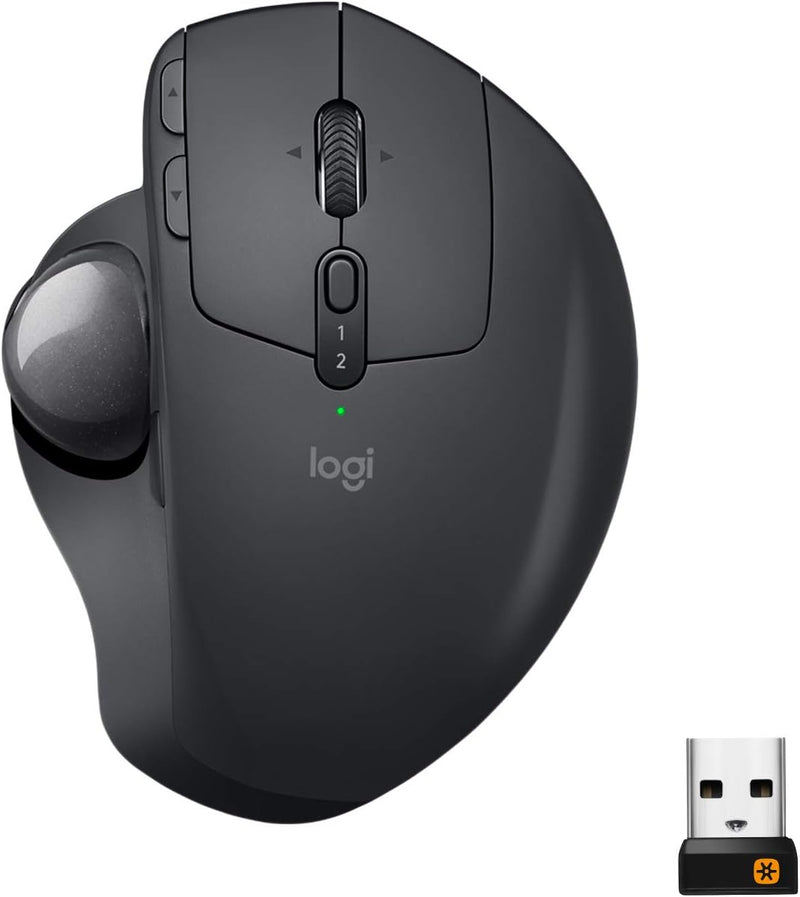
Logitech 910-005177 MX Ergo Wireless Trackball Mouse
Reduce hand strain and boost productivity with the Logitech MX Ergo's adjustable trackball design and multi-device workflow.
$64.95*$99.99Save 35%
Check availability
*Price sourced from Amazon.com. Last updated:Aug 28, 2026.Price and availability are subject to change — details.
Affiliate Disclosure: As an Amazon Associate, Studio Supplies earns from qualifying purchases made through links on this page, at no additional cost to you. This helps support our editorial team.
Notice a mistake? Let Us Know
Overview
Key Features
ERGONOMIC DESIGN FOR MORE COMFORT: Customize the trackball angle from 0–20° for a more natural, comfortable hand position. 20% less muscle fatigue*. * Than a regular mouse.
Specifications
Brand
Logitech
Model
910-005177
Connectivity
Bluetooth or USB Receiver
Wireless Range
Up to 10 meters
Wireless Type
2.4 GHz Radio Frequency
Ergonomic Design
Adjustable Hinge (0–20°)
Scroll Wheel
Precision Scroll Wheel with Horizontal Scrolling and Middle Click
Tracking
Advanced Precision-Mode Tracking
Multi-Computer Workflow
Logitech FLOW Technology
Customizable Buttons
Up to 6 (via Logi Options+)
Battery Life
Up to 4 Months on Full Charge
Charging
USB-C (3 Hours from 1 Minute)
Compatible OS
Windows 10/11 or Later, macOS 10.12 or Later, iPadOS 13.4 or Later
Dimensions
3.92 x 5.21 x 2.02 inches
Weight
5.8 ounces
Frequently Asked Questions
What is the adjustable hinge on the MX Ergo, and how does it work?
The MX Ergo features a metal hinge on its base that lets you tilt the mouse between 0 and 20 degrees. This adjustable angle positions your hand and wrist more naturally, reducing muscle strain compared to a flat mouse.
Can I use the MX Ergo with multiple computers at the same time?
Yes. Logitech FLOW technology lets you pair the MX Ergo with up to two computers simultaneously and move your cursor seamlessly between them. You can even copy and paste text and files across machines.
How long does the battery last, and how is it charged?
The MX Ergo lasts up to four months on a full charge. It charges via USB-C, and just one minute of charging provides enough power for roughly three hours of use.
Is the MX Ergo compatible with Mac and iPad?
Yes. The MX Ergo works with macOS 10.12 or later and iPadOS 13.4 or later, in addition to Windows 10/11. It connects via Bluetooth or the included USB receiver.
How many buttons are customizable on the MX Ergo?
You can customize up to six buttons using Logitech's Logi Options+ software, assigning shortcuts, gestures, or application-specific actions to each one.
Related Products
