
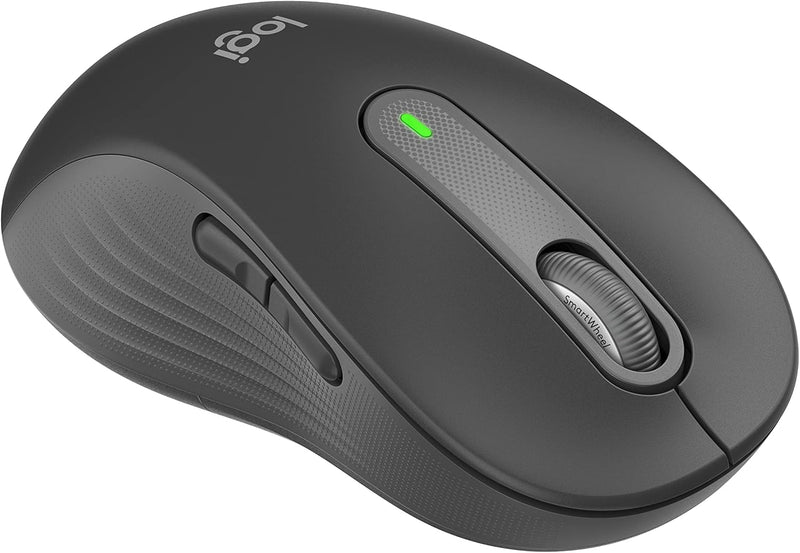


Logitech 910-006234 Signature M650L Left Wireless Mouse
Logitech's Signature M650L Left delivers ergonomic comfort, silent clicks, and smart scrolling designed specifically for left-handed users.
*Price sourced from Amazon.com. Last updated:Aug 30, 2026.Price and availability are subject to change — details.
Notice a mistake? Let Us Know
Overview
Key Features
Scroll smarter: With Logitech Signature M650 Wireless Mouse you get line-by-line precision for documents and super-fast scrolling for long web pages; simply switch modes with a flick of the SmartWheel
Left handed design: This comfortable full size mouse is designed for larger hands, for the optimal fit for left handed users
Upgrade your comfort: This work mouse provides long hours of comfort thanks to a contoured shape, soft thumb area, and rubber side grips that keep your hand snug and in place
Connect the way you like: Connect this cordless computer mouse in an instant via Bluetooth Low Energy or Logi Bolt USB receiver
Less noise, more focus: Whether working at the office or at home, Logitech Signature M650 is a quiet mouse, allowing you to enjoy 90 percent less click noise with SilentTouch technology*
Customizable side buttons: Customize the side buttons on the computer mouse with Logitech Options+, available on Windows and macOS, to your favorite shortcuts – like back/forward or copy/paste
Works on multiple platforms: Experience seamless compatibility with Windows, macOS, Linux, ChromeOS, iPadOS, and Android operating systems; it is also a Works with Chromebook certified product
Plastic parts in Signature M650 L Left include certified post-consumer recycled plastic (Graphite:68%; Off-White: 27%****)
Specifications
Frequently Asked Questions
Related Products
