



Logitech
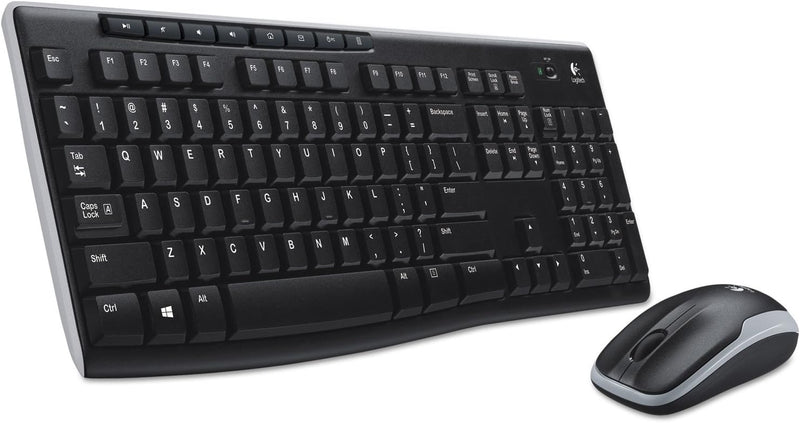
Logitech 920-004536 MK270 Wireless Keyboard Mouse Combo
One nano-receiver connects both keyboard and mouse wirelessly, delivering up to 24 months of keyboard battery life with zero driver setup for everyday desktop computing.
$25.44*$29.99Save 15%
Check availability
*Price sourced from Amazon.com. Last updated:Aug 30, 2026.Price and availability are subject to change — details.
Affiliate Disclosure: As an Amazon Associate, Studio Supplies earns from qualifying purchases made through links on this page, at no additional cost to you. This helps support our editorial team.
Notice a mistake? Let Us Know
Overview
Key Features
Reliable Plug and Play: The USB receiver provides a reliable wireless connection up to 33 ft, so you can forget about drop-outs and delays and you can take it wherever you use your computer
Type in Comfort: The design of this keyboard creates a comfortable typing experience thanks to the low-profile, quiet keys and standard layout with full-size F-keys, number pad, and arrow keys
Durable and Resilient: This full-size wireless keyboard features a spill-resistant design, durable keys and sturdy tilt legs with adjustable height
Long Battery Life: MK270 combo features a 36-month keyboard and 12-month mouse battery life, along with on/off switches allowing you to go months without the hassle of changing batteries
Easy to Use: This wireless keyboard and mouse combo features 8 multimedia hotkeys for instant access to the Internet, email, play/pause, and volume so you can easily check out your favorite sites
Comfortable Mouse: This compact wireless mouse is designed to be equally comfortable for both left- and right-handed users, plus its smooth cursor control allows easy navigation on most surfaces
Favorite Wireless Combo: MK270 brings together familiar typing, wireless freedom, and long battery life; no wonder this is the world's top-selling combo
Upgrade to Logitech MK540 Combo: Experience increased comfort with the MK540 combo, featuring scooped keys, palm rest, full-size mouse with soft rubber grips, and customizable shortcuts
Direct access to new Windows 11 functions
Specifications
Model
Logitech MK270 (920-004536)
Connectivity
2.4 GHz wireless via nano USB receiver
Wireless Range
Up to 6 feet
Keyboard Battery Life
Up to 24 months (2 AA)
Mouse Battery Life
Up to 12 months (1 AA)
Hot Keys
8
Layout
Full-size with number pad
Color
Black
Receiver Type
Dedicated nano USB (non-Unifying)
Frequently Asked Questions
Does the MK270 require software or drivers to work out of the box?
No — the combo is plug-and-play. Insert the nano-receiver into a USB port, and both the keyboard and mouse connect automatically. No Logitech software is required for basic operation, though the Logitech Options app can remap hot keys if needed.
What is the actual wireless range, and will it hold up on a standard desktop?
The MK270 is rated to 6 feet from the receiver — notably shorter than the 10-meter range offered by most competing wireless combos. At a standard desk distance of 1–3 feet, the signal is stable and reliable. The range limitation only becomes a constraint if you're trying to use it from a couch or across a room.
Is the nano-receiver a Logitech Unifying Receiver, and can it pair with other Logitech devices?
The MK270 uses a dedicated nano-receiver, not a Unifying Receiver. It cannot be paired with other Logitech peripherals or consolidated onto a Unifying dongle. Each device in this combo is tied to this specific receiver.
What is the keyboard's key mechanism, and how does it compare to mechanical keyboards?
The MK270 uses low-profile membrane keys — quiet and light to press, but without the distinct tactile bump or audible click of mechanical switches. Actuation is soft with limited physical feedback. For users who primarily type documents and browse the web, it's comfortable; for those who prioritize tactile precision or long-form typing, the feel is noticeably less defined than even entry-level mechanical keyboards.
What batteries does the MK270 use, and how long do they realistically last?
The keyboard takes 2 AA batteries (rated up to 24 months); the mouse takes 1 AA battery (rated up to 12 months). Actual life varies with usage intensity and power management settings, but these are among the longer-rated battery figures in this combo's price class.
Related Products


