



Logitech
Logitech 920-012660 MX Creative Console
USB-C
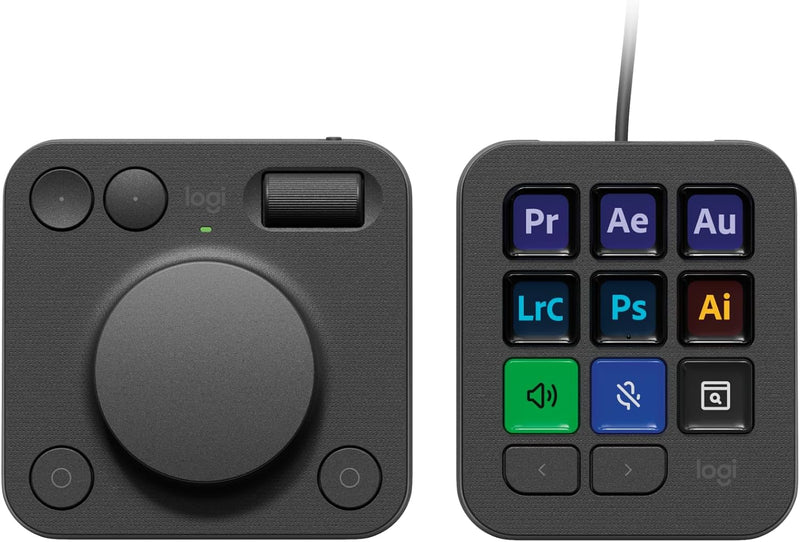
A programmable creative console with customizable LCD keys and a precision dial for hands-on control of Photoshop, Premiere Pro, and more.
$183.99*$199.99Save 8%
View on Amazon
✓ In Stock on Amazon.com
*Price sourced from Amazon.com. Last updated:Aug 29, 2026.Price and availability are subject to change — details.
Affiliate Disclosure: As an Amazon Associate, Studio Supplies earns from qualifying purchases made through links on this page, at no additional cost to you. This helps support our editorial team.
Notice a mistake? Let Us Know
Overview
Key Features
3-months of Adobe Creative Cloud on us: Pair two of the world’s top creative tools. Buy one MX Creative Console and claim your free 3-month Adobe Creative Cloud membership
Speed Up Your Creative Workflow: The Logitech MX Creative Console lets you quickly access tools and actions on your favorite apps, allowing you to fully focus on your work
App Integrations: Adobe Photoshop, Premiere Pro, Illustrator, Lightroom and Lr Classic, Final Cut Pro, Figma, Davinci Resolve, Spotify, Zoom, and more; quick start with recommended profiles (1)
Tactile Analog Control: Make precise adjustments with the low-friction control dial, navigate with the roller, and access actions with the programmable keypad (stand included for flexible placement)
Customize for Any App: Assign tools and actions to up to 15 keypad pages by profile, dial, and roller, and upload your own icons to the customizable LCD display keys
Specifications
Brand
Logitech
Series
MX Creative Console
Model
920-012660
Color
Graphite
Number of Keys
9 Customizable LCD Keys
Connectivity
USB-C (keypad), Bluetooth (dialpad)
Power Source
2 AAA Batteries (included)
Battery Life
Up to 18 months
Dimensions
11.14 x 5.31 x 2.68 inches
Frequently Asked Questions
What creative applications does the MX Creative Console support out of the box?
It ships with recommended profiles for Adobe Photoshop, Premiere Pro, Illustrator, Lightroom, Lightroom Classic, Final Cut Pro, Figma, DaVinci Resolve, Spotify, and Zoom, with more available through the Logi Options+ marketplace.
How do the two components connect to my computer?
The dialpad connects via Bluetooth and runs on two AAA batteries (included) lasting up to 18 months. The keypad connects via a USB-C to USB-C cable, which is included.
Can I create custom icons for the LCD keys?
Yes. You can upload your own icons to the customizable LCD display keys through the Logi Options+ software, and organize them across up to 15 keypad pages per application profile.
What is the Actions Ring feature?
The Actions Ring is an on-screen overlay that appears at your cursor, giving you quick access to tools, shortcuts, and actions without reaching for the physical console. It is configured through the Logi Options+ app.
Does the console come with the Adobe Creative Cloud subscription?
A free 3-month Adobe Creative Cloud membership is included with purchase and must be claimed separately.
Related Products


