
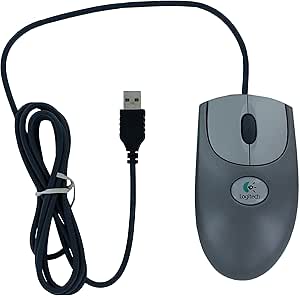
Logitech 930525-0403 iFeel Optical Mouse - Blue - USB
Interactive Computing Experience with Tactile FeedbackIntroducing the Logitech iFeel Optical Mouse, which combines tactile force feedback with optical technology for an interactive computing experience. Feel gentle vibrations as you navigate the web and desktop. Tactile Force Feedback: Prov...
Check availabilityNotice a mistake? Let Us Know
Overview
Interactive Computing Experience with Tactile Feedback
Introducing the Logitech iFeel Optical Mouse, which combines tactile force feedback with optical technology for an interactive computing experience. Feel gentle vibrations as you navigate the web and desktop.
- Tactile Force Feedback: Provides gentle vibrations for enhanced navigation.
- Optical Technology: Ensures smooth and precise tracking on most surfaces.
- High Precision: Records motion optically at 1,200 times per second.
- Ergonomic Design: Suitable for both left- and right-handed users.
- Additional Buttons: Includes two buttons and a scroll wheel that doubles as a third button.
- Plug-and-Play: Easy USB installation for immediate use.
Key Features
Optical mouse with tactile feedback
3 buttons including scroll wheel
Optical sensor detects movement 1,200 times per second
Comfortable ambidextrous design
USB compatible - easy plug-and-play installation, 5 Year Manufacture Warranty
Specifications
Frequently Asked Questions
Related Products
