

Logitech
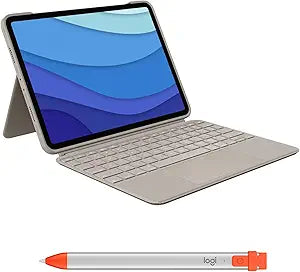
Logitech Combo Touch iPad Pro 11" Keyboard Case
Unleash Your iPad's Potential with Versatile Accessories The Logitech Combo Touch and Crayon combine to offer a versatile solution for your iPad Pro 11-inch. The Combo Touch features a precision trackpad and backlit keyboard, while the Logitech Crayon provides a natural writing experience. Toget...
$269.98*$299.98Save 10%
Check availability
*Price sourced from Amazon.com. Last updated:Aug 29, 2026.Price and availability are subject to change — details.
Affiliate Disclosure: As an Amazon Associate, Studio Supplies earns from qualifying purchases made through links on this page, at no additional cost to you. This helps support our editorial team.
Notice a mistake? Let Us Know
Overview
Unleash Your iPad's Potential with Versatile Accessories
The Logitech Combo Touch and Crayon combine to offer a versatile solution for your iPad Pro 11-inch. The Combo Touch features a precision trackpad and backlit keyboard, while the Logitech Crayon provides a natural writing experience. Together, they unlock new levels of productivity and creativity.
Specifications:
- Compatibility: iPad Pro 11-inch (1st, 2nd, 3rd, 4th gen)
- Keyboard: Backlit, full-size
- Trackpad: Click-anywhere, Multi-Touch gesture support
- Pencil Technology: Apple Pencil technology
- Crayon Battery Life: Up to 7.5 hours
Key Features
Compatibility: For iPad Pro 11-inch (1st, 2nd, 3rd, 4th gen) - A1980, A2013, A1934, A1979, A2228, A2068, A2230, A2231, A2377, A2459, A2301, A2460
The perfect combo: Combo Touch and Logitech Crayon, a versatile pair that unleashes creativity and productivity to create, view and do more
Precision navigation: Edit, navigate, and build presentations with precision using a laptop-like keyboard with backlit keys, large multi-gesture trackpad and iOS shortcut keys
Instant pairing: Combo Touch uses the Smart Connector, so you never have to charge; just turn Crayon on and draw, with no complex pairing or delays
Apple Pencil Technology: Write and draw naturally without missing a detail; the smart tip adjusts line weight automatically for a thicker or thinner line
Flexible & detachable: 50° of tilt to always have the right angle; detach the keyboard and enjoy your iPad screen with nothing in the way, watch something or start sketching with your Crayon
Four use modes: Get more done no matter where you are, with Combo Touch’s four distinct use modes including typing, reading, sketching, and viewing modes
Long battery life: Crayon gets up to 7.5 hrs of writing time from a single charge; get a 2 min charging boost through your Lightning Cable for 30 min of writing time
Specifications
Brand
Logitech
Product
Combo Touch Keyboard Case
Compatibility
iPad Pro 11-inch (1st, 2nd, 3rd, 4th gen) - A1980, A2013, A1934, A1979, A2228, A2068, A2230, A2231, A2377, A2459, A2301, A2460
Connection Type
Smart Connector
Keyboard Features
Backlit keys, Large multi-gesture trackpad, iOS shortcut keys
Stylus Included
Logitech Crayon
Crayon Technology
Apple Pencil Technology, Smart tip for line weight adjustment
Crayon Battery Life
Up to 7.5 hrs writing time (2 min charge for 30 min use)
Tilt Angle
50°
Use Modes
Typing, Reading, Sketching, Viewing
Keyboard Detachability
Detachable
Frequently Asked Questions
Which iPad Pro models are compatible with the Logitech Combo Touch keyboard case?
The Logitech Combo Touch keyboard case is compatible with iPad Pro 11-inch (1st, 2nd, 3rd, 4th gen), specifically models A1980, A2013, A1934, A1979, A2228, A2068, A2230, A2231, A2377, A2459, A2301, A2460.
How does the keyboard connect to the iPad and does it require charging?
The keyboard connects instantly to the iPad Pro using the Smart Connector, meaning it draws power directly from the iPad and never requires separate charging.
What are the different ways I can use the Combo Touch keyboard case?
The Combo Touch offers four versatile use modes: typing, reading, sketching, and viewing, allowing you to adapt your iPad Pro for various tasks and activities.
What features does the Logitech Crayon provide for drawing and writing?
The Logitech Crayon utilizes Apple Pencil Technology with a smart tip that automatically adjusts line weight for thicker or thinner lines, providing a natural writing and drawing experience.
Can I remove the keyboard from the case?
Yes, the keyboard is flexible and detachable, allowing you to remove it and enjoy your iPad screen without any obstruction, which is ideal for viewing content or sketching.
Related Products

