



Logitech
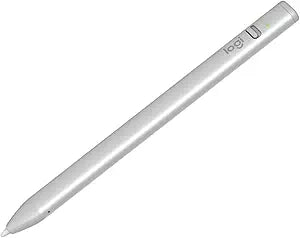
Logitech Crayon Digital Pencil for iPad (USB-C) (Renewed)
A pixel-precise digital pencil for iPad with USB-C charging, palm rejection, and up to 7.5 hours of battery life.
$28.55*$29.99Save 4%
View on Amazon
✓ In Stock on Amazon.com
*Price sourced from Amazon.com. Last updated:Aug 28, 2026.Price and availability are subject to change — details.
Affiliate Disclosure: As an Amazon Associate, Studio Supplies earns from qualifying purchases made through links on this page, at no additional cost to you. This helps support our editorial team.
Notice a mistake? Let Us Know
Overview
Specifications
Brand
Logitech
Model
Crayon
Compatibility
iPads (2018 and later) with USB-C
Technology
Apple Pencil Technology (including Scribble)
Tilt Sensitivity
Yes
Palm Rejection
Yes
Battery Life
Up to 7.5 hours active writing
Charging
USB-C
Drop Protection
Up to 4 feet
Condition
Renewed
Frequently Asked Questions
Is the Logitech Crayon compatible with my iPad?
The Logitech Crayon (USB-C version) is compatible with iPads from 2018 and later that have a USB-C port. Check Logitech's compatibility list to confirm your specific iPad model.
How does the Logitech Crayon differ from the Apple Pencil?
The Crayon uses Apple Pencil technology and supports tilt sensitivity for adjustable line weight, but it does not support pressure sensitivity. It is designed as a more affordable, durable alternative with features like a flat design that prevents rolling off desks.
How long does the battery last on a full charge?
The Logitech Crayon provides up to 7.5 hours of active writing time on a full charge via its USB-C port.
Does the Crayon support palm rejection?
Yes, it features built-in palm rejection, allowing you to rest your hand naturally on the iPad screen while writing or drawing without unwanted marks.
What apps work with the Logitech Crayon?
The Crayon works with hundreds of Apple Pencil-supported apps, including Notes, Pages, Keynote, and popular third-party apps like Procreate, GoodNotes, and Notability.
Related Products


