

Logitech
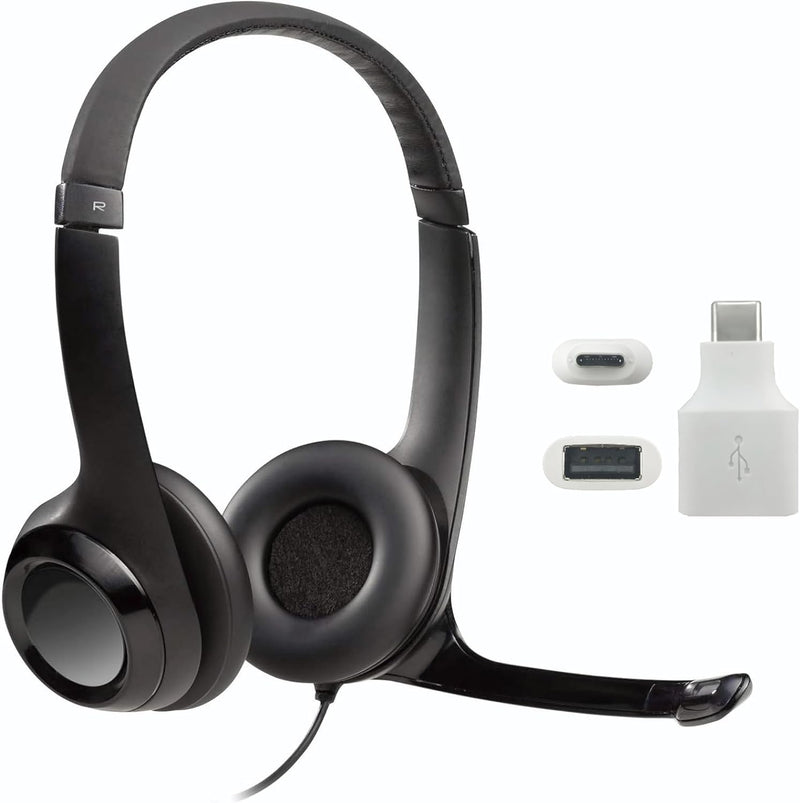
Logitech Logitech-H390-Adapter Wired Headset Mic USB-C Adapter
USB-C adapted wired headset that delivers noise-canceled voice clarity across the full 20Hz–20kHz frequency range for video calls and conferencing.
View price on Amazon
Affiliate Disclosure: As an Amazon Associate, Studio Supplies earns from qualifying purchases made through links on this page, at no additional cost to you. This helps support our editorial team.
Notice a mistake? Let Us Know
Overview
Specifications
Connectivity
Wired
Connector Type
USB-C Adapter
Frequently Asked Questions
Does this adapter support the H390's in-line volume and mute controls?
Yes. The USB-A to USB-C adapter passes through the full HID signal from the H390's in-line controls, so volume adjustment and mute toggling work exactly as they do on a standard USB-A port.
What does the USB-C adapter actually do — is it built into the cable or a separate piece?
It's a separate USB-A to USB-C adapter included in the box. The H390 headset itself terminates in a USB-A plug; the adapter converts that connection to USB-C for laptops and devices that lack a full-size USB-A port.
Does the noise-canceling microphone on the H390 require any software or drivers to activate?
No driver installation is required. The noise-canceling mic is a passive hardware design — it uses a unidirectional pickup pattern to physically reject ambient sound, so it functions immediately when the headset is plugged in on any OS.
Will this adapter work on any USB-C port, or only specific ones?
It requires a USB-C port that supports USB data (not charge-only). Pure power-delivery USB-C ports will not recognize the H390's audio device. Most USB-C ports on laptops and desktops support data and will work correctly.
Does the adapter affect the H390's 20 Hz–20 kHz frequency response?
No. The adapter is a passive connector bridge — it does not alter the analog or digital signal chain. The H390's onboard USB audio codec drives all audio processing; the adapter simply changes the physical connector.
Where are the in-line volume and mute controls physically located on this headset's cable?
The in-line control module sits on the left ear cup's cable, roughly mid-cable. It includes a scroll wheel for volume and a dedicated mute toggle button — both operable by feel without looking away from your screen.
What is the frequency response range of the H390, and what does that mean for call quality?
The H390 covers 20Hz to 20kHz — the full range of human hearing. For voice calls this means the mic and drivers aren't artificially rolled off, so both deep voice tones and high-frequency consonants are reproduced accurately, reducing listener fatigue over long sessions.
Can I use this adapter with USB hubs or docking stations?
Generally yes, provided the hub or dock enumerates USB audio devices properly. Bus-powered hubs with insufficient current (below 100mA per port) may cause recognition issues, but this is a hub limitation, not an adapter limitation.
Is this adapter specific to the H390, or does it work with other USB-A headsets?
Logitech packages it specifically for the H390, and compatibility is validated for that headset. Other USB-A audio devices may work physically, but Logitech only guarantees performance with the H390.
Can the headband length and ear cup position be adjusted to fit larger or smaller heads?
Yes. The headband extends via a sliding adjustment on each side, and the ear cups pivot on their mounts to angle against the ears. The plush ear pads are circumaural-style, designed to seal around rather than press directly on the ear.
Related Products

