
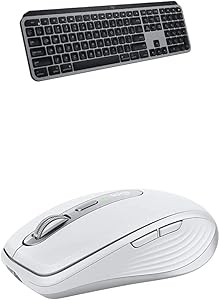
Logitech MX Anywhere 3 Mac Wireless Mouse & MX Keys Keyboard
Logitech MX Anywhere 3 for Mac Compact Performance Mouse,Wireless with Logitech MX Keys Advanced Illuminated Wireless
View price on AmazonNotice a mistake? Let Us Know
Overview
Key Features
TRACK ANYWHERE – EVEN GLASS - Track on virtually any surface, including glass – meaning you can work seamlessly at the desk, at a cafe, even on the couch.
USB-C QUICK CHARGING - Stays powered up to 70 days on a full charge – and gets 3 hours of use from a 1-minute quick charge. USB-C to C charging cable included.
MASTERED FOR MAC - MX Anywhere 3 for Mac is optimized for macOS and iPad compatible. Connect up to three devices and switch between them at the tap of a button.
MASTERED FOR MAC - MX Keys for Mac is optimized for macOS, iPad compatible, finished in Space Gray – and features a Mac key layout
COMFORT, STABILITY, MINIMALISM –Confidently type on a keyboard crafted for comfort, precision, and remarkable stability. The aesthetic minimalism and timeless construction fit perfectly with your Mac setup
SMART ILLUMINATION – Backlit keys light up the moment your hands approach and automatically adjust to suit changing lighting conditions
Specifications
Frequently Asked Questions
Related Products
