

Logitech
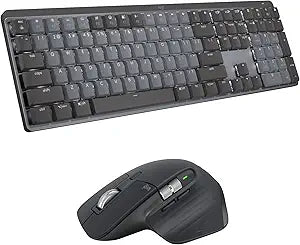
Logitech MX Mechanical & Master 3S Wireless Keyboard Mouse Bundle
8K
Achieve Peak Productivity with the Logitech MX Mechanical & MX Master 3S Bundle This Logitech bundle combines the MX Mechanical Full-Size Illuminated Wireless Keyboard and the MX Master 3S Performance Wireless Bluetooth Mouse for ultimate precision and performance. Compatible with a variety ...
$299.98*$359.98Save 16%
Check availability
*Price sourced from Amazon.com. Last updated:Oct 18, 2026.Price and availability are subject to change — details.
Affiliate Disclosure: As an Amazon Associate, Studio Supplies earns from qualifying purchases made through links on this page, at no additional cost to you. This helps support our editorial team.
Notice a mistake? Let Us Know
Overview
Achieve Peak Productivity with the Logitech MX Mechanical & MX Master 3S Bundle
This Logitech bundle combines the MX Mechanical Full-Size Illuminated Wireless Keyboard and the MX Master 3S Performance Wireless Bluetooth Mouse for ultimate precision and performance. Compatible with a variety of operating systems, these devices are designed to enhance your workflow and boost your productivity.
MX Mechanical Keyboard Features:
- Keys: Linear Mechanical Switches
- Connectivity: Wireless (Bluetooth), Logi Bolt USB Receiver
- Battery: Rechargeable Li-Po (1500 mAh)
- Dimensions: 26.10mm x 433.85 mm x 131.55 mm
- Weight: 828g
MX Master 3S Mouse Features:
- Sensor: Darkfield High Precision
- Buttons: 7 (Left/Right-click, Back/Forward, App-Switch, Wheel mode-shift, Middle click, Scroll Wheel, Thumbwheel, Gesture button)
- Connectivity: Wireless (Bluetooth), Logi Bolt USB Receiver
- Battery: Rechargeable Li-Po (500 mAh)
- Dimensions: 2 x 3.3 x 4.9 in (51 x 84.3 x 124.9 mm)
- Weight: 4.97 oz (141 g)
Operating System: macOS, Windows, Linux, iOS, Android
Key Features
Quiet performance duo: Pair MX Mechanical low-profile keys and 3 switch choices with MX Master 3S’s 8K DPI track-on-glass (1) sensor and 90% less click noise (2)
Combined for ergonomic productivity: Low-profile mechanical keys of MX Mechanical, combined with the hand-sculpted MX Master 3S lets you enjoy hours of productivity in comfort
Smart illumination: Backlit keys light up the moment your hands approach, and automatically adjust to suit changing lighting conditions
Magspeed Scrolling: With MX Master 3S, scroll 1,000 lines at once before stopping on a pixel, shifting between ratchet and hyper-fast scroll modes
More customization, faster workflow: Customize mouse buttons, keyboard Fn-keys and more to ramp up your workflow in the improved Logi Optionsplus (3)
Flow across multiple devices: Control multiple devices across Windows and macOS operating systems, and seamlessly transfer text, images, and files between them (3)
Multi-device, multi-OS: Pair with up to 3 devices via Bluetooth Low Energy or Logi Bolt USB receiver(4) - both keyboard and mouse work with Windows, macOS, Chrome OS(5) , Linux(5) , iPadOS(5) and more
Specifications
Keyboard Type
MX Mechanical Wireless Keyboard
Mouse Type
MX Master 3S Wireless Mouse
Mouse Sensor
8K DPI track-on-glass
Mouse Click Noise Reduction
90% less
Keyboard Backlighting
Smart illumination
Mouse Scrolling
Magspeed Scrolling (ratchet and hyper-fast modes)
Customization Software
Logi Optionsplus (improved)
Multi-Device Control
Flow (across Windows and macOS)
Connectivity Options
Bluetooth Low Energy, Logi Bolt USB receiver
Max Paired Devices
Up to 3 devices
OS Compatibility
Windows, macOS, Chrome OS, Linux, iPadOS
Frequently Asked Questions
How quiet is the MX Master 3S mouse?
The MX Master 3S mouse is designed to produce 90% less click noise compared to standard mice, contributing to a quieter work environment.
Does the keyboard have backlighting?
Yes, the MX Mechanical keyboard features smart illumination where backlit keys light up when hands approach and adjust automatically to lighting conditions.
Can this bundle be used with multiple computers simultaneously?
Yes, the bundle supports Flow across multiple devices, allowing seamless control and transfer of text, images, and files between Windows and macOS systems.
What are the connectivity options for the keyboard and mouse?
Both the keyboard and mouse can pair with up to three devices via Bluetooth Low Energy or using the included Logi Bolt USB receiver.
Is customization software required for these devices?
To access and customize mouse buttons, keyboard Fn-keys, and enhance workflow, the improved Logi Optionsplus software is recommended.
Related Products


