

Microsoft
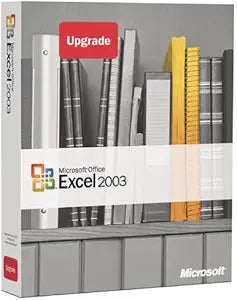
Microsoft Excel 2003 Upgrade (Old Version)
Turn Data into Actionable Insights Upgrade your data analysis capabilities with Microsoft Excel 2003. This version of Excel empowers you to analyze, communicate, and share results effectively, with improved features for working with XML data and enhanced smart tags. Specifications: XML Suppor...
$19.00*
Check availability
*Price sourced from Amazon.com. Last updated:Oct 10, 2026.Price and availability are subject to change — details.
Affiliate Disclosure: As an Amazon Associate, Studio Supplies earns from qualifying purchases made through links on this page, at no additional cost to you. This helps support our editorial team.
Notice a mistake? Let Us Know
Overview
Turn Data into Actionable Insights
Upgrade your data analysis capabilities with Microsoft Excel 2003. This version of Excel empowers you to analyze, communicate, and share results effectively, with improved features for working with XML data and enhanced smart tags.
Specifications:
- XML Support: Reads customer-defined XML schema
- Data Analysis: Enhanced collinearity detection
- Smart Tags: Context-sensitive actions
- File Format: Native XML file format support
Key Features
Reads data in any customer defined XML schema, without reformatting; you can manipulate XML data sources using charts, tables or graphs
Spreadsheets can be saved in a native XML file format, searchable by a program using industry standard XML
New visual XML mapping tool maps user-specified XML schema to fields in an Excel spreadsheet
Analyzes data better, with enhanced collinearity detection, sum of squared deviation calculation, normal distributions, and continuous probability distribution functions
Enhanced Smart Tags appear only when you hover the mouse over a defined range of cells
Specifications
Software Name
Microsoft Excel 2003
Product Type
Upgrade (Old Version)
XML Support
Reads customer-defined XML schema, saves as native XML
Data Analysis Features
Enhanced collinearity detection, sum of squared deviation calculation, normal distributions, continuous probability distribution functions
User Interface Feature
Enhanced Smart Tags
Frequently Asked Questions
Can Microsoft Excel 2003 read data from external XML sources?
Yes, Microsoft Excel 2003 can read data in any customer-defined XML schema without requiring reformatting.
Is it possible to save spreadsheets in an XML format with this version of Excel?
Spreadsheets created in Excel 2003 can be saved in a native XML file format, allowing them to be searchable by programs using industry-standard XML.
What tools are available for working with XML data in Excel 2003?
This version includes a new visual XML mapping tool designed to map user-specified XML schemas to fields within an Excel spreadsheet.
How does Excel 2003 improve data analysis capabilities?
Microsoft Excel 2003 offers enhanced data analysis with improved collinearity detection, sum of squared deviation calculation, normal distributions, and continuous probability distribution functions.
How do Smart Tags function in Microsoft Excel 2003?
The enhanced Smart Tags in Excel 2003 appear only when the mouse cursor hovers over a defined range of cells, providing contextual actions.
Related Products


