

Microsoft
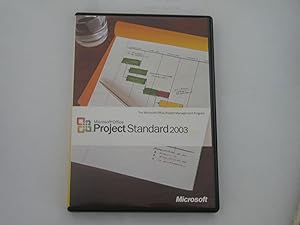
Microsoft 076-02627 Project 2003 Standard (Old Version)
Manage Your Projects Efficiently with a Classic ToolMicrosoft Project 2003 Standard provides project managers with essential desktop tools for organizing work, tracking progress, and communicating effectively. This classic version offers familiar tools to enhance your project management capabilit...
View price on Amazon
Affiliate Disclosure: As an Amazon Associate, Studio Supplies earns from qualifying purchases made through links on this page, at no additional cost to you. This helps support our editorial team.
Notice a mistake? Let Us Know
Overview
Manage Your Projects Efficiently with a Classic Tool
Microsoft Project 2003 Standard provides project managers with essential desktop tools for organizing work, tracking progress, and communicating effectively. This classic version offers familiar tools to enhance your project management capabilities.
Specifications:
- Scheduling Tools: Enhanced scheduling tools for effective work organization
- Display Options: Customizable display options for project information
- Integration: Seamless information transfer with other Microsoft Office programs like Excel
- Interface: Updated user interface with available templates
Key Features
Organize your work more effectively with new scheduling tools -- Track schedule and resource changes to yourproject plans quickly
New display options lets you show individuals the project information they need to review
Increase your impact at work and create better presentations to print compelling and succinct copies of schedules and goals
Move information easily between Project 2003 and other Microsoft Office programs, such as Excel
Updated interface and new templates available for downloading, make this version of Project the most user-friendly ever!
Specifications
Product Name
Project 2003 Standard
Version
Old Version
Functionality
Project Management
Scheduling Tools
New scheduling tools
Tracking
Schedule and resource changes
Display Options
New, customizable
Integration
Microsoft Office programs (e.g., Excel)
Interface
Updated
Templates
New, downloadable
Frequently Asked Questions
How does Microsoft Project 2003 Standard help organize work?
Microsoft Project 2003 Standard helps organize work more effectively with new scheduling tools that allow for quick tracking of schedule and resource changes to project plans.
Can this software help in reviewing project information with others?
Yes, new display options in Project 2003 Standard allow you to show individuals only the specific project information they need to review.
Are there features for creating better presentations of project data?
Yes, the software enables you to increase your impact at work and create better presentations to print compelling and succinct copies of schedules and goals.
Is it easy to transfer information between Project 2003 and other Microsoft Office programs?
Yes, you can move information easily between Project 2003 and other Microsoft Office programs, such as Excel, for integrated workflow.
Does this version of Project offer an updated interface and templates?
Yes, Project 2003 Standard features an updated interface and new templates available for downloading, aiming to make this version user-friendly.
Related Products


