

Microsoft
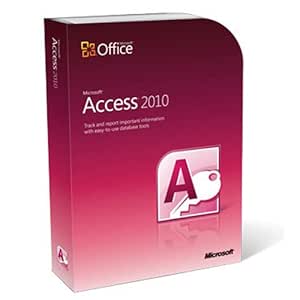
Microsoft Access 2010 - Database Software
Simplify Your Database Management with Microsoft Access 2010 Microsoft Access 2010 is a user-friendly database management system designed to help you organize, track, and share information effectively. With ready-to-use templates and intuitive tools, Access 2010 empowers both novice and experienc...
$259.00*
Check availability
*Price sourced from Amazon.com. Last updated:Aug 29, 2026.Price and availability are subject to change — details.
Affiliate Disclosure: As an Amazon Associate, Studio Supplies earns from qualifying purchases made through links on this page, at no additional cost to you. This helps support our editorial team.
Notice a mistake? Let Us Know
Overview
Simplify Your Database Management with Microsoft Access 2010
Microsoft Access 2010 is a user-friendly database management system designed to help you organize, track, and share information effectively. With ready-to-use templates and intuitive tools, Access 2010 empowers both novice and experienced users to create and manage databases with ease. Its web database capabilities allow you to access and share your data from anywhere with a web browser.
Key Features:
- Simplified Database Creation: Out-of-the-box templates and reusable components for fast and simple database solutions.
- Enhanced Forms and Reports: Innovative tools for creating professional and informative forms and reports.
- Customizable Ribbon: Easily customize the Ribbon to access your most-used commands.
- Microsoft Office Backstage View: Centralized space to manage your database and customize your Access experience.
- Expression Builder: Simplified formulas and expressions with IntelliSense.
- Web Database Capabilities: Create web databases accessible via Microsoft SharePoint Server 2010.
- Data Integration: Import and link data from various external sources.
Key Features
Build databases faster and easier than before
Create more impactful forms and reports
Get easier access to the right tools at the right time
Add automation and complex expressions without writing a line of code
Get a centralized landing pad for your data
Specifications
Software Title
Microsoft Access 2010
Product Type
Database Software
Frequently Asked Questions
Can I build complex databases without programming knowledge in Microsoft Access 2010?
Yes, Microsoft Access 2010 is designed to allow users to add automation and complex expressions without requiring them to write a single line of code.
Does Microsoft Access 2010 help in creating visually appealing reports?
This software is intended to help users create more impactful forms and reports, enabling better data presentation.
How does Access 2010 facilitate finding the right tools for database management?
It offers easier access to the appropriate tools at the opportune time, streamlining the database creation and management process.
Is it faster to build databases with Microsoft Access 2010 compared to previous versions?
The software is promoted as allowing users to build databases faster and easier than before, enhancing productivity in database creation.
Related Products


