

Microsoft
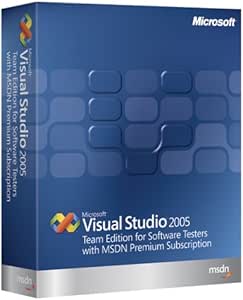
Microsoft 122-00393 Visual Studio 2005 Team Edition
Comprehensive Testing Suite: Microsoft Visual Studio Team Edition 2005Microsoft Visual Studio Team Edition for Software Testers 2005, integrated with MSDN Premium, provides a complete set of tools for software testing within the Visual Studio environment. Specifications Brand: Microsoft Model:...
$5,646.74*
Check availability
*Price sourced from Amazon.com. Last updated:Oct 08, 2026.Price and availability are subject to change — details.
Affiliate Disclosure: As an Amazon Associate, Studio Supplies earns from qualifying purchases made through links on this page, at no additional cost to you. This helps support our editorial team.
Notice a mistake? Let Us Know
Overview
Comprehensive Testing Suite: Microsoft Visual Studio Team Edition 2005
Microsoft Visual Studio Team Edition for Software Testers 2005, integrated with MSDN Premium, provides a complete set of tools for software testing within the Visual Studio environment.
Specifications
- Brand: Microsoft
- Model: 122-00393
- Edition: Team Edition for Software Testers 2005
- Integration: Visual Studio Team System
- Includes: MSDN Premium Subscription
- Testing Tools: Web Tests, Load Tests, Manual Tests, Unit Tests
- Features: Automated Unit Testing, Web Test Recorder, Extensible Architecture
Key Features
Offers automated and data-driven unit testing capability for developers
Reduces the complexity of testing applications by offering access to advanced testing tools and features
Integrates testing into software development collaboration by providing all team members access to a shared warehouse for integrated feedback and reporting
Features parallel functional test execution with code coverage, load test monitor and performance counters for analysis
Includes an MSDN Premium Subscription for a wide range of Microsoft support and services
Specifications
Software Name
Visual Studio 2005 Team Edition
Publisher
Microsoft
Included Subscription
MSDN Premium Subscription
Testing Features
Automated and data-driven unit testing, advanced testing tools, parallel functional test execution with code coverage, load test monitor, performance counters
Collaboration Features
Shared warehouse for integrated feedback and reporting
Frequently Asked Questions
What is Microsoft Visual Studio 2005 Team Edition designed for?
Microsoft Visual Studio 2005 Team Edition is designed to streamline software development, offering automated and data-driven unit testing capabilities for developers.
How does this software assist with testing applications?
It helps reduce the complexity of testing applications by providing access to advanced testing tools and features.
Does Visual Studio 2005 Team Edition support team collaboration?
Yes, it integrates testing into software development collaboration by giving all team members access to a shared warehouse for integrated feedback and reporting.
What kind of testing execution features are included?
The software features parallel functional test execution with code coverage, a load test monitor, and performance counters for analysis.
Is there any additional subscription included with this product?
Yes, it includes an MSDN Premium Subscription, which offers access to a wide range of Microsoft support and services.
Is this software compatible with current operating systems and development environments?
This is an older edition (2005), so compatibility with very recent operating systems or modern development practices might require careful consideration and research beyond the product features.
Are there specific system requirements mentioned for installing this software?
The provided features focus on the software's capabilities and do not list specific system requirements for installation.
Related Products


