

Microsoft
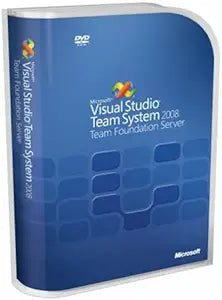
Microsoft 125-00693 Visual Studio Team Foundation Server 2008 Upgrade
Empower Your Development Team with Microsoft Visual Studio Team System 2008 Team Foundation Server Upgrade Microsoft Visual Studio Team System 2008 Team Foundation Server is an integrated collaboration server designed for software development teams. It combines team portal, version control, work ...
View price on Amazon
Affiliate Disclosure: As an Amazon Associate, Studio Supplies earns from qualifying purchases made through links on this page, at no additional cost to you. This helps support our editorial team.
Notice a mistake? Let Us Know
Overview
Empower Your Development Team with Microsoft Visual Studio Team System 2008 Team Foundation Server Upgrade
Microsoft Visual Studio Team System 2008 Team Foundation Server is an integrated collaboration server designed for software development teams. It combines team portal, version control, work item tracking, build management, process guidance, and business intelligence into a unified server. This upgrade enables teams to effectively manage project work, increase visibility, and improve the predictability of application development.
Key Features:
- Version Control: Manage changes to project artifacts
- Work Item Tracking: Communicate and manage work across the team
- Team Build: Regularly integrate your team's work together
- Reporting: Business intelligence on project status, performance, and quality metrics
- Process Templates: Customizable templates to define your development process
- Integration: Seamless integration with Microsoft Excel and Microsoft Project
- Team Portal: Enhance team collaboration
Key Features
Combines team portal, version control, work item tracking, build management, process guidance and business intelligence into a unified server, allowing everyone on the team to collaborate more effectively and deliver better quality software
Version Control to manage change to project artifacts; Work Item Tracking to communicate and manage work across the team
Team Portal for team collaboration; Team Build to regularly integrate your team's work together
Reporting and business intelligence on project status, performance, and quality metrics
Customizable Process Templates to define your development process; Integration with Microsoft Excel and Microsoft Project for project management
Specifications
Brand
Microsoft
Product
Visual Studio Team Foundation Server
Version
2008 Upgrade
Key Features
Team portal, Version control, Work item tracking, Build management, Process guidance, Business intelligence, Reporting, Customizable process templates
Integration
Microsoft Excel, Microsoft Project
Frequently Asked Questions
What is the primary purpose of Microsoft Visual Studio Team Foundation Server 2008 Upgrade?
This software is designed to provide a unified server solution that combines various tools like team portal, version control, and work item tracking to enhance team collaboration and software development processes.
Does this product include version control capabilities?
Yes, it includes Version Control functionality which allows teams to effectively manage changes to their project artifacts, ensuring code integrity and traceability.
Can this software help with tracking work items across a development team?
Absolutely, it features Work Item Tracking to facilitate communication and management of tasks, bugs, and other work items among team members.
What kind of reporting features are available with Team Foundation Server 2008?
It offers reporting and business intelligence tools that provide insights into project status, team performance, and software quality metrics.
Is this version compatible with other Microsoft Office applications for project management?
Yes, it includes integration with Microsoft Excel and Microsoft Project, enabling project managers to leverage these tools for their planning and tracking needs.
Does this product support customized development processes?
Yes, the server allows for Customizable Process Templates, which enables teams to define and implement development processes tailored to their specific requirements.
Related Products


