

Microsoft
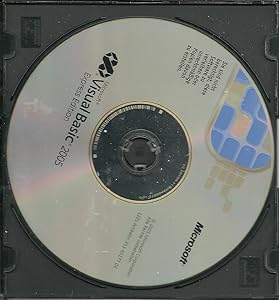
Microsoft 128-00019 Visual Basic 2005 Express (Old Version)
Develop Windows Applications with Microsoft Visual Basic 2005 ExpressMicrosoft Visual Basic 2005 Express Edition is a user-friendly development tool designed for beginners and hobbyists. With its intuitive drag-and-drop interface, code snippets, and auto-correction features, this software provide...
Check availability
Affiliate Disclosure: As an Amazon Associate, Studio Supplies earns from qualifying purchases made through links on this page, at no additional cost to you. This helps support our editorial team.
Notice a mistake? Let Us Know
Overview
Develop Windows Applications with Microsoft Visual Basic 2005 Express
Microsoft Visual Basic 2005 Express Edition is a user-friendly development tool designed for beginners and hobbyists. With its intuitive drag-and-drop interface, code snippets, and auto-correction features, this software provides a simple way to create Windows applications.
Specifications:- Platform: Windows
- Features: Drag-and-drop user interface, Code Snippets, AutoCorrect
Key Features
Development tool that provides a fun, easy way to write Windows applications
Intuitive, drag-and-drop interface designer; 16+ hours of video training
400+ built-in code snippets provide templates for common coding tasks
Built-in database design tools; connect Windows applications to the Web
Ideal for beginning game developers; create 2D games or interactive 3D worlds
Specifications
Product
Visual Basic 2005 Express
Version
Old Version
Publisher
Microsoft
Target Applications
Windows applications
Interface
Drag-and-drop interface designer
Training Content
16+ hours of video training
Coding Support
400+ built-in code snippets
Database Tools
Built-in database design tools
Web Connectivity
Connect Windows applications to the Web
Gaming Focus
Ideal for beginning game developers (2D games, interactive 3D worlds)
Frequently Asked Questions
What type of applications can be created with Microsoft Visual Basic 2005 Express?
Microsoft Visual Basic 2005 Express is a development tool specifically designed for writing Windows applications.
Is this software suitable for beginners in programming?
Yes, it is described as providing a fun, easy way to write applications and is ideal for beginning game developers.
Does this version of Visual Basic come with any learning resources?
Yes, it includes over 16 hours of video training to help users learn the software.
Are there pre-written code examples available in the software?
The software features more than 400 built-in code snippets that provide templates for common coding tasks.
Can applications built with this software connect to databases?
Yes, it offers built-in database design tools, allowing you to connect Windows applications to the Web.
Can this software be used to create games?
Yes, it is ideal for beginning game developers and allows for the creation of 2D games or interactive 3D worlds.
Related Products


