

Microsoft
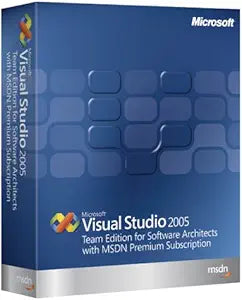
Microsoft 130-00360 Visual Studio Team Edition 2005
Architect Your Software Solutions with Confidence Microsoft Visual Studio Team Edition for Software Architects 2005, with MSDN Premium, provides a robust suite of tools for designing and validating service-oriented solutions. This edition empowers architects, operations managers, and developers t...
$6,771.55*
Check availability
*Price sourced from Amazon.com. Last updated:Oct 09, 2026.Price and availability are subject to change — details.
Affiliate Disclosure: As an Amazon Associate, Studio Supplies earns from qualifying purchases made through links on this page, at no additional cost to you. This helps support our editorial team.
Notice a mistake? Let Us Know
Overview
Architect Your Software Solutions with Confidence
Microsoft Visual Studio Team Edition for Software Architects 2005, with MSDN Premium, provides a robust suite of tools for designing and validating service-oriented solutions. This edition empowers architects, operations managers, and developers to increase deployment success by visually constructing solutions that are validated against their operational environments.
Key Features:
- Enables predictable deployment success through visual design and validation.
- Includes Application Designer for designing, configuring, and deploying service-oriented applications.
- Features Logical Datacenter Designer for creating a logical view of your datacenter.
- Keeps application design documents synchronized with code.
- Offers extensibility for modeling new application types or hosts.
- Includes MSDN Premium Subscription for comprehensive support and resources.
Key Features
Enables software architects, operations managers, and developers to increase the predictability of success during deployment
Logical Datacenter Designer creates a logical view of your datacenter, including logical servers, endpoints, communication boundaries and pathways
Keeps application design documents synchronized with code at all times; lets you design and configure .NET Web services visually
Rich extensibility mechanism lets users create new resources, model new application and server types, and specify custom settings and constraints
Includes an MSDN Premium Subscription for a wide range of Microsoft support and services
Specifications
Product
Visual Studio Team Edition
Version
2005
Manufacturer
Microsoft
Included Subscription
MSDN Premium Subscription
Frequently Asked Questions
What is the primary focus of Microsoft Visual Studio Team Edition 2005?
Its primary focus is to help software architects, operations managers, and developers increase the predictability of success during software deployment.
What is the purpose of the Logical Datacenter Designer in this software?
The Logical Datacenter Designer allows users to create a logical view of their datacenter, including servers, endpoints, and communication pathways.
Does this software keep code and design documents updated?
Yes, it is designed to keep application design documents synchronized with code at all times, promoting consistency.
Can this Visual Studio edition be used for designing .NET Web services?
Yes, it allows you to design and configure .NET Web services visually, simplifying the development process.
Is there any additional support included with this product?
Yes, it includes an MSDN Premium Subscription, providing access to a wide range of Microsoft support and services.
Related Products


