

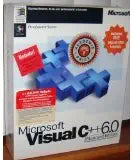
Microsoft
Microsoft 254-00050 Visual C++ STD V6.0 CD
Develop Powerful Applications with a Classic ToolsetThis comprehensive package includes Microsoft Visual C++ 6.0 on CD, Microsoft Visual Studio 6.0 on CD, along with two MSDN Library CDs. Also included is an introductory manual to Visual C++, allowing users to begin creating applications. Softw...
Check availability
Affiliate Disclosure: As an Amazon Associate, Studio Supplies earns from qualifying purchases made through links on this page, at no additional cost to you. This helps support our editorial team.
Notice a mistake? Let Us Know
Overview
Develop Powerful Applications with a Classic Toolset
This comprehensive package includes Microsoft Visual C++ 6.0 on CD, Microsoft Visual Studio 6.0 on CD, along with two MSDN Library CDs. Also included is an introductory manual to Visual C++, allowing users to begin creating applications.
- Software: Microsoft Visual C++ 6.0 Software
Key Features
Microsoft Visual C++ 6.0 Software
Specifications
Brand
Microsoft
Model
254-00050 Visual C++ STD V6.0
Software Type
Development Software
Media Type
CD
Frequently Asked Questions
Is Microsoft Visual C++ 6.0 compatible with modern Windows operating systems like Windows 10 or 11?
Microsoft Visual C++ 6.0 is an older version and may encounter compatibility issues or require compatibility modes to run on modern Windows operating systems, such as Windows 10 or 11.
Can I use this software to develop 64-bit applications?
Visual C++ 6.0 was primarily designed for 32-bit development environments and may not natively support the creation of 64-bit applications without significant workarounds or additional tools.
Does Visual C++ 6.0 support the latest C++ language standards?
No, Visual C++ 6.0 predates many modern C++ language standards (C++11, C++14, C++17, etc.) and will not support newer syntax or features.
Is it possible to get updates or patches for Visual C++ 6.0?
Given its age, Microsoft no longer provides official updates or patches for Visual C++ 6.0, meaning any security or compatibility issues would remain unresolved.
Is this software suitable for learning modern C++ programming?
While it can teach foundational C++ concepts, it is not ideal for learning modern C++ programming as it uses an older compiler and lacks support for contemporary language features.
What is included with the Microsoft Visual C++ 6.0 CD?
The product is described as Microsoft Visual C++ 6.0 Software on a CD, indicating the installation media for the development environment.
Related Products


