

Microsoft
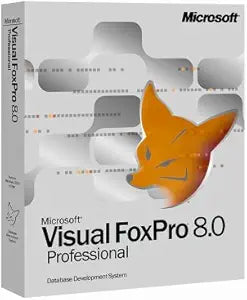
Microsoft Visual Foxpro Professional 8.0 Upgrade
Microsoft Visual FoxPro Professional 8.0 Upgrade [Old Version] This is an upgrade to the Microsoft Visual FoxPro Professional 8.0 software, designed to provide developers with enhanced tools and features for building data-centric applications. This version offers improvements in database manageme...
Check availability
Affiliate Disclosure: As an Amazon Associate, Studio Supplies earns from qualifying purchases made through links on this page, at no additional cost to you. This helps support our editorial team.
Notice a mistake? Let Us Know
Overview
Microsoft Visual FoxPro Professional 8.0 Upgrade [Old Version]
This is an upgrade to the Microsoft Visual FoxPro Professional 8.0 software, designed to provide developers with enhanced tools and features for building data-centric applications. This version offers improvements in database management, development environment, and overall performance.
Specifications:
- Software Type: Upgrade
- Version: 8.0
- Platform: Microsoft Visual FoxPro Professional
- Usage: Database Application Development
Specifications
Software Title
Visual FoxPro Professional
Version
8.0
Type
Upgrade
Publisher
Microsoft
Frequently Asked Questions
What does "Upgrade" mean for Microsoft Visual FoxPro Professional 8.0?
An "Upgrade" version typically requires you to own a previous, eligible version of Visual FoxPro to install and use it.
Is Visual FoxPro 8.0 still supported by Microsoft?
Microsoft's extended support for Visual FoxPro ended on January 13, 2015, meaning there are no new security updates or non-security hotfixes.
Can this software be installed on modern operating systems like Windows 10 or 11?
While older software might sometimes run on newer operating systems, Visual FoxPro 8.0 was designed for older Windows versions, so compatibility on Windows 10 or 11 is not guaranteed and may require specific configurations or virtual environments.
What are the main benefits of the Professional edition of Visual FoxPro 8.0?
The Professional edition typically includes advanced features for database management, application development, and reporting tools beyond what a standard edition might offer.
Is this a full license or a limited trial version?
The "Upgrade" designation suggests it is a full licensed version, provided you meet the eligibility requirements of owning a previous version of Visual FoxPro.
Related Products


