

Microsoft
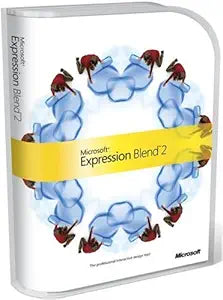
Microsoft 45116G Expression Blend 2 Design Tool
Design Engaging Experiences with Precision Microsoft Expression Blend 2 is a professional design tool tailored for creating captivating web-connected experiences for Windows. It offers a design-oriented interface built on Windows Presentation Foundation (WPF), allowing designers to focus on the ...
Check availability
Affiliate Disclosure: As an Amazon Associate, Studio Supplies earns from qualifying purchases made through links on this page, at no additional cost to you. This helps support our editorial team.
Notice a mistake? Let Us Know
Overview
Design Engaging Experiences with Precision
Microsoft Expression Blend 2 is a professional design tool tailored for creating captivating web-connected experiences for Windows. It offers a design-oriented interface built on Windows Presentation Foundation (WPF), allowing designers to focus on the creative process rather than navigating complex menus.
Specifications Overview:
- Platform: Windows
- Target Audience: Professional Designers
-
Key Features:
- Scalable, Design-Oriented Interface
- Dynamically Filterable Properties Panel
- Vector and Bitmap Artwork Composition
- HD Video, Audio, and Rich Text Integration
- Customizable Controls
- Codeless Interactivity
- XAML Support
Key Features
Create stunning web experiences with full-screen HD video, animated graphics, sound and interactivity
Deliver better usability and user experiences that pack the power of Microsoft .NET Framework 3.5 and incorporate both online and offline data capabilities
Create compelling user interface designs that use a full spectrum of media types, including vector and pixel art, video, audio, text, 3D, and animation
Add interactivity to your designs without writing code--fully customizable controls let you create design elements from simple graphical buttons to sophisticated custom views of data
Harness the power of XAML the .NET Framework 3.5 and Silverlight to ensure the designs you create in Expression Blend 2 carry through to the final Microsoft Visual Studio project
Specifications
Software Type
Design Tool
Version
Expression Blend 2
Developer
Microsoft
Key Technologies
XAML, .NET Framework 3.5, Silverlight
Design Capabilities
HD Video, Animated Graphics, Sound, Interactivity, Vector/Pixel Art, 3D, Animation
Target Applications
Web Experiences, User Interface Designs
Code Requirement
Interactivity without writing code
Framework Integration
Microsoft Visual Studio Project
Frequently Asked Questions
What kind of designs can I create with Microsoft Expression Blend 2?
Microsoft Expression Blend 2 allows you to create compelling user interface designs that incorporate a full spectrum of media types, including full-screen HD video, animated graphics, sound, interactivity, vector and pixel art, text, 3D, and animation.
Do I need to know how to code to create interactive designs in Expression Blend 2?
One of the key features of Expression Blend 2 is the ability to add interactivity to your designs without writing code, using fully customizable controls.
Which Microsoft frameworks does Expression Blend 2 utilize?
Expression Blend 2 harnesses the power of XAML, the .NET Framework 3.5, and Silverlight, ensuring that designs created in the tool integrate seamlessly into Microsoft Visual Studio projects.
Is this software suitable for modern web development?
While Expression Blend 2 is a powerful design tool, it is an older version and focuses on technologies like Silverlight and .NET Framework 3.5. Its suitability for the very latest web development trends may depend on project requirements.
Can I integrate my Expression Blend 2 designs with Microsoft Visual Studio?
Yes, the designs you create in Expression Blend 2 are intended to carry through to the final Microsoft Visual Studio project, ensuring consistency and workflow efficiency.
What are the benefits of using Expression Blend 2 for user experiences?
Expression Blend 2 is designed to help deliver better usability and user experiences by enabling the incorporation of both online and offline data capabilities, powered by the .NET Framework 3.5.
Does Expression Blend 2 support 3D design elements?
Yes, the software allows for the creation of compelling user interface designs that can utilize various media types, including 3D elements.
Related Products


