

Microsoft
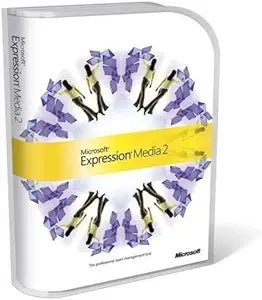
Microsoft 45567G Expression Media 2 Upgrade
Streamline Your Digital Asset Management with Microsoft Expression Media 2 Microsoft Expression Media 2 Upgrade is a powerful tool for managing your digital assets. With support for over 100 media formats, robust search capabilities, and seamless integration with Adobe Photoshop, this software ma...
$142.04*
View on Amazon
✓ In Stock on Amazon.com
*Price sourced from Amazon.com. Last updated:Aug 30, 2026.Price and availability are subject to change — details.
Affiliate Disclosure: As an Amazon Associate, Studio Supplies earns from qualifying purchases made through links on this page, at no additional cost to you. This helps support our editorial team.
Notice a mistake? Let Us Know
Overview
Streamline Your Digital Asset Management with Microsoft Expression Media 2
Microsoft Expression Media 2 Upgrade is a powerful tool for managing your digital assets. With support for over 100 media formats, robust search capabilities, and seamless integration with Adobe Photoshop, this software makes organizing, finding, and sharing your digital media effortless.
Key Features:
- Media Support: Supports over 100 media formats
- Search Capabilities: Integrated search tools for quick file retrieval
- Metadata Support: Add, edit, and export metadata in IPTC, XMP, and Dublin Core formats
- Image Editing: Basic image editing tasks such as rotating, cropping, and resizing
- Presentation Tools: Create cross-platform slide shows, videos, and Silverlight-powered web galleries
Key Features
Wherever your files are stored and whomever you collaborate with, Expression Media 2 supercharges the way you organize, find and share your digital media on your computer, offline or on the web
Make digital asset management easy--just drag and drop to import more than 100 different media formats, including digital camera RAW files
Support for RAW formats from the most popular cameras and industry-standard metadata formats means your metadata is already there; keep keywords consistent with custom dictionaries
Take care of basic image editing tasks like rotating, cropping, and resizing from right inside Expression Media 2; color management profiles are preserved throughout, or you can quickly adjust levels, sharpness, brightness or color balance yourself
Publish and distribute media with cross-platform slide shows, video, and interactive Silverlight-powered Web galleries, or quickly export media into multiple formats for delivery to your client
Specifications
Brand
Microsoft
Product Name
Expression Media 2 Upgrade
Media Format Support
100+ different media formats (including RAW)
Image Editing Capabilities
Rotating, cropping, resizing, levels, sharpness, brightness, color balance
Publishing Options
Cross-platform slideshows, video, interactive Silverlight-powered Web galleries
Metadata Support
Industry-standard metadata formats, custom dictionaries for keywords
Frequently Asked Questions
What is Microsoft Expression Media 2 designed to do?
Microsoft Expression Media 2 is designed to supercharge the way you organize, find, and share your digital media on your computer, offline, or on the web.
How does Expression Media 2 simplify digital asset management?
It makes digital asset management easy by allowing users to simply drag and drop to import over 100 different media formats, including digital camera RAW files.
Does this software support various RAW formats and metadata?
Yes, it supports RAW formats from the most popular cameras and industry-standard metadata formats, ensuring your metadata is already there and allowing for consistent keywords with custom dictionaries.
Can basic image editing be performed within Expression Media 2?
Yes, users can handle basic image editing tasks such as rotating, cropping, and resizing directly within Expression Media 2, with color management profiles preserved.
What publishing options are available with Expression Media 2?
The software allows users to publish and distribute media through cross-platform slide shows, video, interactive Silverlight-powered Web galleries, or by exporting media into multiple formats for client delivery.
Related Products


