

Microsoft
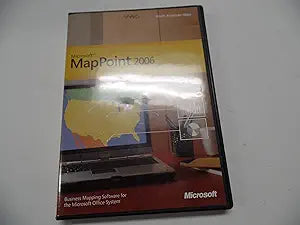
Microsoft MapPoint 2006 Standard Edition Mapping Software
Unlock Geographic Insights for Your Business Microsoft MapPoint 2006 Standard Edition combines data mapping, information analysis, and communication tools to enhance your business decisions. Integrate rich location information into Outlook and analyze data to identify trends and key insights. Not...
Check availability
Affiliate Disclosure: As an Amazon Associate, Studio Supplies earns from qualifying purchases made through links on this page, at no additional cost to you. This helps support our editorial team.
Notice a mistake? Let Us Know
Overview
Unlock Geographic Insights for Your Business
Microsoft MapPoint 2006 Standard Edition combines data mapping, information analysis, and communication tools to enhance your business decisions. Integrate rich location information into Outlook and analyze data to identify trends and key insights. Note: This edition does not include a GPS device.
Specifications:
- Features: Data Mapping, Information Analysis, Communication Tools
- Integration: Microsoft Office System, Outlook
- Functionality: Display Trends, Overlay Key Information, Create Maps with Custom Data
- Navigation: Driving Guidance (with connected GPS device)
Key Features
Use updated geographic and demographic data sets in MapPoint to display trends and illustrate key points on maps.
New Driving Guidance takes your location from a connected GPS device and combines it with a route you have created to give you voice-prompted driving directions.
Group common areas and overlay key information to these regions with maps that you create maps.
Create maps with your own data. Step-by-step instructions guide you through applying your sales information and demographic variables to a variety of map types.
Specifications
Product Type
Mapping Software
Edition
Standard Edition
Year
2006
Features
Updated geographic and demographic data, Driving Guidance with voice-prompts, Custom map creation with user data
Frequently Asked Questions
What are the main features of Microsoft MapPoint 2006 Standard Edition?
Key features include updated geographic and demographic data sets for trend analysis, new Driving Guidance with voice-prompted directions when connected to a GPS device, and the ability to create customized maps with your own data and overlay information.
Is MapPoint 2006 compatible with modern operating systems?
As a 2006 edition, compatibility with modern operating systems like Windows 10 or 11 may be limited or require specific configurations. It was originally designed for older Windows versions.
Can I use my own data with this software?
Yes, Microsoft MapPoint 2006 provides step-by-step instructions that guide you through applying your sales information and demographic variables to various map types.
Does this software provide real-time traffic updates?
The feature description mentions "new Driving Guidance" and "updated geographic and demographic data," but does not explicitly state support for real-time traffic updates, which are typically a more modern feature.
Is a GPS device required for the driving guidance feature?
Yes, the new Driving Guidance feature takes your location from a *connected GPS device* to provide voice-prompted driving directions.
What kind of data can I display on maps with this software?
You can display updated geographic and demographic data sets, group common areas, and overlay key information from your own sales or demographic data onto maps to illustrate trends and key points.
Related Products


