

Microsoft
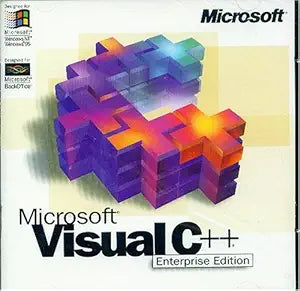
Microsoft Visual C++ 5.0 Enterprise Edition
Unleash Powerful Client/Server ApplicationsIntroducing Microsoft Visual C++ 5.0 Enterprise Edition, your all-in-one solution for developing robust client/server applications. Seamlessly integrate with Microsoft SQL Server databases, efficiently manage team code, and construct scalable Internet an...
Check availability
Affiliate Disclosure: As an Amazon Associate, Studio Supplies earns from qualifying purchases made through links on this page, at no additional cost to you. This helps support our editorial team.
Notice a mistake? Let Us Know
Overview
Unleash Powerful Client/Server Applications
Introducing Microsoft Visual C++ 5.0 Enterprise Edition, your all-in-one solution for developing robust client/server applications. Seamlessly integrate with Microsoft SQL Server databases, efficiently manage team code, and construct scalable Internet and client/server solutions within a unified environment.
Specifications:
- Edition: Enterprise Edition
- Version: 5.0
- Media: 2 CD Set
- Application Focus: Client/Server Application Development
- Database Compatibility: Microsoft SQL Server
- Key Features: Team Code Maintenance, Scalable Solution Building
- Ideal For: Competitive Upgrades
Specifications
Software Title
Visual C++ 5.0 Enterprise Edition
Frequently Asked Questions
What is the primary use case for Microsoft Visual C++ 5.0 Enterprise Edition?
The primary use case for this software is developing applications using the C++ programming language, particularly for the Windows operating system.
Does this version of Visual C++ support modern C++ standards?
As Visual C++ 5.0 is an older version, it would likely support C++ standards prevalent at its release, but not the more recent C++ standards introduced in subsequent years.
Can this software be installed on current Windows operating systems like Windows 10 or 11?
While it may be possible to install older software on newer operating systems, full compatibility and functionality of Visual C++ 5.0 Enterprise Edition on Windows 10 or 11 cannot be guaranteed without further testing.
Is this software suitable for beginners learning C++ programming?
While it can be used for learning, newer versions of Visual Studio with more modern compilers and integrated development environments might offer a more streamlined and current learning experience for C++.
Does the Enterprise Edition offer specific features not found in other versions?
Historically, Enterprise Editions of Microsoft development tools included advanced features for team development, database integration, and broader deployment options, distinguishing them from standard or professional editions.
Related Products


