

Microsoft
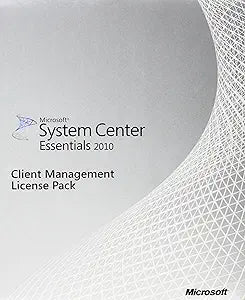
Microsoft 4PX-01316 Sys Ctr Essntls Clt 2010 MLP
Streamline IT Management for Mid-Sized BusinessesMicrosoft System Center Essentials 2010 provides integrated physical and virtual server management in a single, easy-to-use console. Integrated virtualization server creation and management Easy machine conversions from physical-to-virtual...
Check availability
Affiliate Disclosure: As an Amazon Associate, Studio Supplies earns from qualifying purchases made through links on this page, at no additional cost to you. This helps support our editorial team.
Notice a mistake? Let Us Know
Overview
Streamline IT Management for Mid-Sized Businesses
Microsoft System Center Essentials 2010 provides integrated physical and virtual server management in a single, easy-to-use console.
- Integrated virtualization server creation and management
- Easy machine conversions from physical-to-virtual
- Intelligent placement of virtual workloads
- Auto-Manage Updates & Deadline
- Software Distribution Targeting
Key Features
Integrated virtualization server creation and management
Easy machine conversions from physical-to-virtual
Intelligent placement of virtual workloads
Auto-Manage Updates & Deadline
Software Distribution Targeting
Specifications
Product
Microsoft System Center Essentials Client 2010
Features
Integrated virtualization server creation and management
Features
Easy machine conversions from physical-to-virtual
Features
Intelligent placement of virtual workloads
Features
Auto-Manage Updates & Deadline
Features
Software Distribution Targeting
Frequently Asked Questions
What are the primary functions of Microsoft System Center Essentials Client 2010?
Its primary functions include integrated virtualization server creation and management, easy physical-to-virtual machine conversions, intelligent virtual workload placement, and auto-managing updates.
Does this software help with deploying applications?
Yes, it features Software Distribution Targeting, which allows for efficient and precise deployment of applications across client systems.
Can this software manage updates for client systems?
Yes, Microsoft System Center Essentials Client 2010 can auto-manage updates and deadlines, helping to keep client systems current.
Is this product suitable for managing virtualization servers?
Yes, it offers integrated virtualization server creation and management capabilities, streamlining virtual infrastructure oversight.
How does it handle workload placement in virtual environments?
The software provides intelligent placement of virtual workloads, aiming to optimize resource allocation and performance across your virtual machines.
Related Products


