

Microsoft
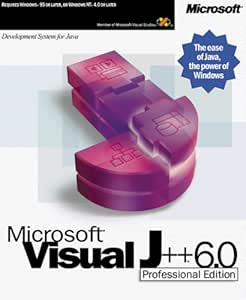
Microsoft 561-00180 Visual J++ Pro Upgrade
Harness the Power of Java for Windows DevelopmentMicrosoft Visual J++ 6.0 Professional offers a robust development environment for building high-performance client/server solutions. Leverage the productivity of the Java language and the power of Windows with this comprehensive tool. Visual J++ en...
View price on Amazon
Affiliate Disclosure: As an Amazon Associate, Studio Supplies earns from qualifying purchases made through links on this page, at no additional cost to you. This helps support our editorial team.
Notice a mistake? Let Us Know
Overview
Harness the Power of Java for Windows Development
Microsoft Visual J++ 6.0 Professional offers a robust development environment for building high-performance client/server solutions. Leverage the productivity of the Java language and the power of Windows with this comprehensive tool.
Visual J++ enables developers to build and reuse software components, including Microsoft ActiveX controls and COM components. The WFC framework simplifies the creation of components that can be used directly with the WFC Designer or exported for use in other tools. Visual J++ includes a host of productivity features, including a highly visual RAD environment (based on the world's most popular development tool, Visual Basic), IntelliSense technology that provides on-the-fly syntax and parameter information, an advanced graphical debugger, and more--all of which makes Java development fast and easy. Visual J++ includes a comprehensive suite of data access tools that make the development of data-aware applications easy. Its DataBinder component allows developers to make any visual control data-aware, and the encapsulation of ADO 2.0 gives developers an easy framework for building database applications. Package and Deploy Applications Quickly Visual J++ assists developers in packaging and deploying their applications to multiple targets, including file and Web servers. It will automatically generate a redistributable binary code, apply any necessary digital signatures, and copy the application to the remote target. Visual J++ enables the construction of powerful client/server solutions. In conjunction with its automatic deployment features, Visual J++ gives developers an easy way to design, code, and deploy their client- and server-side solutions, including Active Server Page components, Microsoft Transaction Server components, and DCOM components.Specifications
Product Type
Software Upgrade
Software Name
Visual J++ Pro
Brand
Microsoft
Frequently Asked Questions
What is the Microsoft Visual J++ Pro Upgrade?
The Microsoft Visual J++ Pro Upgrade is a software product designed to enhance or upgrade an existing version of Visual J++ to its professional edition, focusing on Java application development.
Is this a full software package or does it require a previous version?
As an "Upgrade" product, it requires a qualifying, previously installed version of Visual J++ to function, it is not a standalone full software package.
What is the primary purpose of Visual J++?
Microsoft Visual J++ was a development tool for creating applications using the Java programming language, providing an integrated environment for coding and compiling.
Does this upgrade come with any new features detailed?
The product description identifies it as a Pro Upgrade, implying enhanced features over a standard version, but specific details about these new features are not provided.
Is this software compatible with modern operating systems like Windows 10 or 11?
The product's release era means it may not be compatible with modern operating systems such as Windows 10 or 11; compatibility information is not provided and would need to be researched based on its original release.
Related Products


