

Microsoft
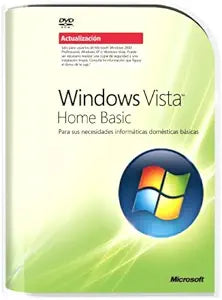
Microsoft 66G-00046 Windows Vista Home Basic Upgrade
Get Started with Basic Home Computing Using Microsoft Windows Vista Home Basic Microsoft Windows Vista Home Basic SPANISH UPGRADE is an operating system designed for basic home computing needs. This software provides the tools needed to easily find and organize information. Stay protected with au...
View price on Amazon
Affiliate Disclosure: As an Amazon Associate, Studio Supplies earns from qualifying purchases made through links on this page, at no additional cost to you. This helps support our editorial team.
Notice a mistake? Let Us Know
Overview
Get Started with Basic Home Computing Using Microsoft Windows Vista Home Basic
Microsoft Windows Vista Home Basic SPANISH UPGRADE is an operating system designed for basic home computing needs. This software provides the tools needed to easily find and organize information. Stay protected with automatic defenses and keep up to date with convenient side-bar information.
Key Features:
- Basic Home Computing: Designed for fundamental home-computing needs
- Search Function: Easily and quickly find and organize information
- Automatic Defense: Protection against malicious software and fraudulent Web sites
- Parental Controls: Built-in parental controls to monitor and manage usage
- Information Sidebar: Stay informed with weather and news updates
Key Features
Windows operating system designed for basic home-computing needs
Instant desktop search function quickly finds and organizes information
Automatic defenses against malicious software and fraudulent Web sites
Built-in parental controls; easily share photos with family and friends
Stay up to date with convenient side-bar information, like weather and news
Specifications
Product Type
Operating System Upgrade
Operating System
Windows Vista Home Basic
Key Feature
Instant desktop search
Security Feature
Automatic defenses against malicious software and fraudulent Web sites
Parental Controls
Built-in
Frequently Asked Questions
Is Microsoft Windows Vista Home Basic a full operating system or an upgrade?
Microsoft Windows Vista Home Basic is an upgrade version, meaning it requires an existing, eligible Windows operating system to be installed on your computer.
What security features does Windows Vista Home Basic offer?
It provides automatic defenses against malicious software and fraudulent websites, helping to protect your computer while browsing and using applications.
Can I quickly find files and information on my desktop with this OS?
Yes, Windows Vista Home Basic includes an instant desktop search function designed to quickly find and organize information on your computer.
Does this operating system include parental control features?
Yes, it comes with built-in parental controls, allowing users to manage and supervise how the computer is used by family members.
What additional convenience features does Windows Vista Home Basic offer?
It helps users stay up to date with convenient side-bar information, such as weather and news, accessible directly from the desktop.
Is Windows Vista Home Basic suitable for advanced home computing needs?
Windows Vista Home Basic is designed for basic home-computing needs, and more advanced features might be present in higher editions or newer operating systems.
Can I easily share photos with friends and family using this system?
Yes, the operating system is designed to help users easily share photos with family and friends.
Related Products


