

Microsoft
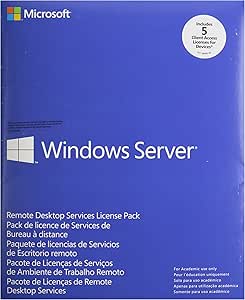
Microsoft 6VC-01758 Windows Remote Desktop Services CAL 2012
Enhance Your Remote Access CapabilitiesWindows Remote Desktop Services CAL 2012 provides the technologies to enable users to connect to virtual desktops, remote applications, and session-based desktops. It allows users to access remote connections from within a corporate network or the Internet. ...
Check availability
Affiliate Disclosure: As an Amazon Associate, Studio Supplies earns from qualifying purchases made through links on this page, at no additional cost to you. This helps support our editorial team.
Notice a mistake? Let Us Know
Overview
Enhance Your Remote Access Capabilities
Windows Remote Desktop Services CAL 2012 provides the technologies to enable users to connect to virtual desktops, remote applications, and session-based desktops. It allows users to access remote connections from within a corporate network or the Internet.
Specifications:
- Product: Windows Remote Desktop Services CAL 2012
- License Type: 5 Device
- Access: Remote access to virtual desktops and applications
- Use: Corporate network or internet access
Key Features
Unified administration experience
User personalization
Less expensive storage
Automated pooled virtual desktop management
For Academic use only
Specifications
Brand
Microsoft
Product
Windows Remote Desktop Services CAL
Version
2012
Licensing Model
Client Access License (CAL)
Target User
Academic use only
Features
Unified administration experience, User personalization, Less expensive storage, Automated pooled virtual desktop management
Frequently Asked Questions
What is the primary purpose of Microsoft 6VC-01758 Windows Remote Desktop Services CAL 2012?
This product is designed to provide Client Access Licenses for Windows Remote Desktop Services 2012, enabling users to remotely access Windows desktops and applications.
Is this software license suitable for commercial use?
No, this license is specifically for Academic use only, meaning it is restricted to educational institutions.
What are some of the key features of this Remote Desktop Services CAL?
Key features include a unified administration experience, user personalization, the potential for less expensive storage, and automated pooled virtual desktop management.
What version of Windows Remote Desktop Services does this CAL apply to?
This CAL is for Windows Remote Desktop Services 2012, indicating it is compatible with that specific version of the service.
Does this CAL provide storage capabilities?
The features mention "less expensive storage," which refers to optimizations within the Remote Desktop Services environment, not direct storage provision by the CAL itself.
Who typically uses this type of product?
Educational institutions or organizations with an academic focus would typically utilize this product to provide remote access to their students or staff.
Related Products


