

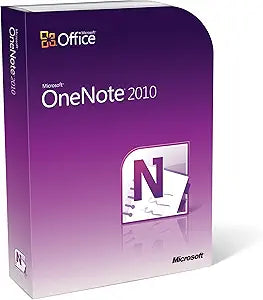
Microsoft
Microsoft 79A-00239 OneNote Home and Student 2010
Organize Your Life with Powerful Note-TakingMicrosoft OneNote Home and Student 2010 provides a centralized location for storing and sharing information, helping you capture ideas, manage notes, and collaborate effectively. Note-Taking: Capture text, images, video, and audio notes. Sharing: Sim...
View price on Amazon
Affiliate Disclosure: As an Amazon Associate, Studio Supplies earns from qualifying purchases made through links on this page, at no additional cost to you. This helps support our editorial team.
Notice a mistake? Let Us Know
Overview
Organize Your Life with Powerful Note-Taking
Microsoft OneNote Home and Student 2010 provides a centralized location for storing and sharing information, helping you capture ideas, manage notes, and collaborate effectively.
- Note-Taking: Capture text, images, video, and audio notes.
- Sharing: Simultaneously take and edit notes with others.
- Linked Notes: Automatically connect ideas to the content you create in Word, PowerPoint, or Internet Explorer.
- Quick Filing: Easily collect information from documents, web pages, and emails.
Specifications
Brand
Microsoft
Model
79A-00239 OneNote Home and Student 2010
Software Type
Note-taking, Organization
Target Audience
Home and Student
Release Year
2010
Frequently Asked Questions
Is this version of OneNote compatible with Windows 10 or Windows 11?
Microsoft OneNote Home and Student 2010 was designed for older Windows versions, and while it might run on newer OS, full compatibility and functionality cannot be guaranteed without testing.
Does this software include other Microsoft Office applications like Word or Excel?
No, this product specifically states "OneNote Home and Student 2010," indicating it is only the OneNote application and does not include other Office suite programs.
Can I sync my notes with cloud services using this 2010 version?
The cloud synchronization features in OneNote 2010 might be limited or require older services, and they may not integrate seamlessly with modern cloud platforms like OneDrive as newer versions do.
Is technical support still available for Microsoft OneNote 2010?
Microsoft typically ends mainstream support for older software versions, so technical assistance for OneNote 2010 may be limited or no longer available.
Can I upgrade this version to a newer OneNote?
Upgrading would typically involve purchasing a newer version of OneNote or a Microsoft 365 subscription, as direct in-place upgrades from such an old version are unlikely.
Related Products


