



Microsoft
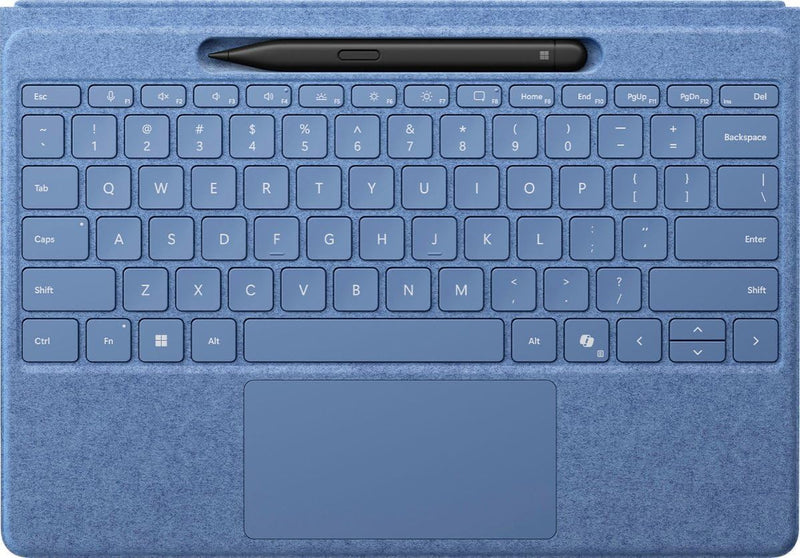
Microsoft 8YU-00024 Surface Pro Flex Keyboard with Slim Pen, Sapphire
A detachable keyboard and Slim Pen bundle that turns your Surface Pro into a versatile laptop or standalone typing station.
$414.99*$499.98Save 16%
View on Amazon
✓ In Stock on Amazon.com
*Price sourced from Amazon.com. Last updated:Aug 30, 2026.Price and availability are subject to change — details.
Affiliate Disclosure: As an Amazon Associate, Studio Supplies earns from qualifying purchases made through links on this page, at no additional cost to you. This helps support our editorial team.
Notice a mistake? Let Us Know
Overview
Key Features
Surface Pro Flex Keyboard with Slim Pen, designed to be used either attached or detached1 as a standalone keyboard
New wider and precise haptic touchpad
Backward compatible and works on your Surface Pro 8/9 running Windows 112
Up to 32.8 feet (10 meters) of connectivity
Uses 128-bit encryption-technology that encrypts your data
Most advanced digital pen with built-in haptic motor makes inking feel more natural
Provides precise and accurate inking with sharper pen tip
Pen can be wirelessly charged while securely stored on the keyboard
Specifications
Compatibility
Surface Pro Copilot+ (11th Edition), Surface Pro 9, Surface Pro 8
Wireless Range
Up to 32.8 feet (10 meters)
Security
128-bit encryption
Included Accessories
Slim Pen
Color
Sapphire
Model Number
8YU-00024
Frequently Asked Questions
Which Surface Pro models is this keyboard compatible with?
It is compatible with the Surface Pro Copilot+ (11th Edition), Surface Pro 9, and Surface Pro 8.
Which Surface Pro models is this keyboard compatible with?
It works with the Surface Pro Copilot+ (11th Edition), Surface Pro 9, and Surface Pro 8.
Can the keyboard be used wirelessly when detached from the Surface Pro?
Yes. The Flex Keyboard connects via Bluetooth up to 32.8 feet (10 meters) away, so you can detach it and use it as a standalone wireless keyboard.
Can the keyboard be used wirelessly when detached from the Surface Pro?
Yes, the Flex Keyboard can be detached and used as a standalone Bluetooth keyboard at distances up to 32.8 feet (10 meters) from the device.
Does the Slim Pen need to be charged separately?
The Slim Pen charges wirelessly when stored in the keyboard's pen garage, so it stays topped up during normal use without needing a separate charger.
Is the Slim Pen included or sold separately?
The Slim Pen is included in this bundle — it comes packaged with the keyboard as a single purchase.
How does the Slim Pen charge?
The Slim Pen stores and charges inside the keyboard's built-in pen garage when the keyboard is attached to a compatible Surface Pro.
What type of encryption does the keyboard use for wireless connectivity?
The keyboard uses 128-bit encryption for its wireless connection, helping to keep your keystrokes secure when used in detached mode.
Is the keyboard backlit?
Yes, the Surface Pro Flex Keyboard features backlit keys for comfortable typing in low-light environments.
Does the keyboard use encrypted wireless communication?
Yes, it uses 128-bit encryption to protect keystrokes during wireless use.
Related Products


