

Microsoft
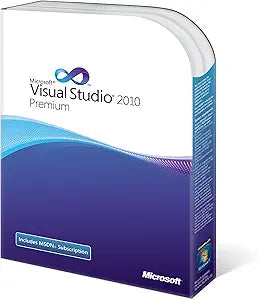
Microsoft 9GD-00002 Visual Studio 2010 Premium MSDN
Unleash Your Creative PotentialMicrosoft Visual Studio 2010 Premium with MSDN Subscription provides an integrated environment that simplifies application development with advanced tools ready to tackle the most difficult problems. Whether writing code, building databases, testing or debugging, yo...
Check availability
Affiliate Disclosure: As an Amazon Associate, Studio Supplies earns from qualifying purchases made through links on this page, at no additional cost to you. This helps support our editorial team.
Notice a mistake? Let Us Know
Overview
Unleash Your Creative Potential
Microsoft Visual Studio 2010 Premium with MSDN Subscription provides an integrated environment that simplifies application development with advanced tools ready to tackle the most difficult problems. Whether writing code, building databases, testing or debugging, you can increase individual and team productivity using powerful tools that work the way you work. Unleash your creativity with innovative design and development tools that let you bring your vision to life. Take control of your source code with sophisticated database tools to help ensure that your application and database stay in sync. Superior code analysis tools help you avoid creating bugs during development and advanced testing and debugging tools let you find and fix any bugs quickly and easily to help ensure scalable, high quality solutions.
- Static Code Analysis
- Code Metrics
- Unit Testing
- Coded UI Test
- Database Deployment
Key Features
Static Code Analysis
Code Metrics
Unit Testing
Coded UI Test
Database Deployment
Specifications
Product Name
Visual Studio 2010 Premium MSDN
Brand
Microsoft
Model Number
9GD-00002
Core Feature 1
Static Code Analysis
Core Feature 2
Code Metrics
Core Feature 3
Unit Testing
Core Feature 4
Coded UI Test
Core Feature 5
Database Deployment
Frequently Asked Questions
What are the main features of Microsoft Visual Studio 2010 Premium MSDN?
The main features include Static Code Analysis, Code Metrics, Unit Testing, Coded UI Test, and Database Deployment, providing a comprehensive suite for software development.
Is this version of Visual Studio suitable for modern development projects?
Visual Studio 2010 is an older version; while it provides robust tools, it may not fully support the newest programming languages, frameworks, or development practices.
What is Static Code Analysis used for in this software?
Static Code Analysis helps developers identify potential errors, design flaws, and security vulnerabilities in their code before execution, improving overall code quality.
What kind of testing capabilities does Visual Studio 2010 Premium MSDN offer?
It offers Unit Testing for individual code components and Coded UI Test for automating user interface interactions to validate application functionality.
Does this product assist with database management within development?
Yes, it includes Database Deployment features designed to streamline the integration and deployment of database changes as part of the software development lifecycle.
Related Products


