

Microsoft
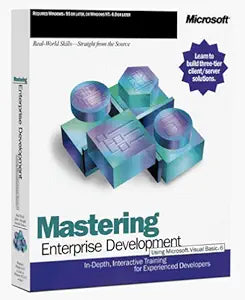
Microsoft A19-00001 Visual Basic 6.0 Enterprise Development
Unlock Enterprise Development with Microsoft Visual Basic 6.0Master enterprise application development using the Microsoft Mastering Series. This interactive training tool provides a comprehensive, self-paced learning experience to help you quickly gain expertise in application development with M...
Check availability
Affiliate Disclosure: As an Amazon Associate, Studio Supplies earns from qualifying purchases made through links on this page, at no additional cost to you. This helps support our editorial team.
Notice a mistake? Let Us Know
Overview
Unlock Enterprise Development with Microsoft Visual Basic 6.0
Master enterprise application development using the Microsoft Mastering Series. This interactive training tool provides a comprehensive, self-paced learning experience to help you quickly gain expertise in application development with Microsoft tools and technologies. Ideal for developers looking to expand their desktop development skills.
- Comprehensive Training: Structured courses, labs, narrated demos, and sample code.
- Self-Paced Learning: Learn at your own pace and focus on the skills you want.
- Enterprise Development: Build three-tier client/server solutions.
- Tools: Utilizes Visual Basic Enterprise Edition, Microsoft Transaction Server, and Microsoft SQL Server.
Specifications
Software Title
Visual Basic 6.0 Enterprise Development
Publisher
Microsoft
Edition
Enterprise Development
Frequently Asked Questions
Is Microsoft Visual Basic 6.0 still supported by Microsoft?
Microsoft Visual Basic 6.0 is an older version of the software, and official mainstream support from Microsoft has concluded.
What kind of applications can be developed with Visual Basic 6.0 Enterprise Development?
Visual Basic 6.0 Enterprise Development is designed for creating a wide range of applications, especially suited for business and enterprise-level solutions.
Does this version include advanced tools for large projects?
The "Enterprise Development" designation typically indicates that this edition comes with advanced tools and features tailored for complex and large-scale software projects.
Can this software be installed on modern operating systems like Windows 10 or 11?
While designed for older Windows versions, Visual Basic 6.0 might run on newer operating systems, though compatibility and performance can vary and may require specific configurations or compatibility modes.
Is it easy to find learning resources for Visual Basic 6.0?
Due to its age, new learning resources may be less common, but a significant amount of existing documentation and community forums from its active period are still available.
Related Products


