
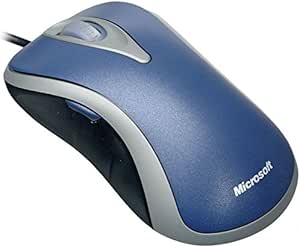
Microsoft D1T-00011 Comfort Optical Mouse 3000
Experience Comfort and Precision with Microsoft Comfort Mouse 3000 Upgrade your computing experience with the Microsoft Comfort Optical Mouse 3000. This ergonomic mouse offers high-definition optical technology for precise tracking and smooth navigation on various surfaces. Designed for both righ...
*Price sourced from Amazon.com. Last updated:Aug 30, 2026.Price and availability are subject to change — details.
Notice a mistake? Let Us Know
Overview
Experience Comfort and Precision with Microsoft Comfort Mouse 3000
Upgrade your computing experience with the Microsoft Comfort Optical Mouse 3000. This ergonomic mouse offers high-definition optical technology for precise tracking and smooth navigation on various surfaces. Designed for both right and left-handed users, it features four customizable buttons and a four-way tilt wheel for enhanced productivity. The innovative Magnifier tool allows you to zoom in for detailed editing and viewing.
Specifications:
- Technology: High-Definition Optical Technology
- Scrolling: Four-Way Tilt Wheel
- Buttons: 4 Customizable Buttons
- Ergonomics: Ambidextrous Design
- Special Feature: Magnifier Tool
- System Requirements: Windows Vista/XP/Me/2000 or Mac OS X v.10.2-10.4.X
- Interface: USB Port
Key Features
Made to be used in either hand
Highly ergonomic for great comfort
Magnifier function lets you zoom in and edit your work
Features horizontal and vertical scrolling
Customizable buttons
Specifications
Frequently Asked Questions
Related Products
