

Microsoft
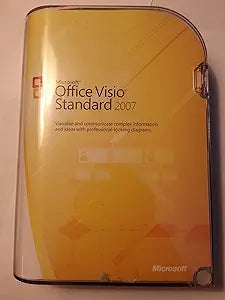
Microsoft D86-02751 Visio Standard 2007 - Old Version
Visualize and Communicate Complex Information EffectivelyMicrosoft Visio Standard 2007 is a powerful tool designed for IT and business professionals to visualize, explore, and communicate complex information. Transform complicated text and tables into easy-to-understand Visio diagrams. Specificat...
$99.99*
Check availability
*Price sourced from Amazon.com. Last updated:Oct 09, 2026.Price and availability are subject to change — details.
Affiliate Disclosure: As an Amazon Associate, Studio Supplies earns from qualifying purchases made through links on this page, at no additional cost to you. This helps support our editorial team.
Notice a mistake? Let Us Know
Overview
Visualize and Communicate Complex Information Effectively
Microsoft Visio Standard 2007 is a powerful tool designed for IT and business professionals to visualize, explore, and communicate complex information. Transform complicated text and tables into easy-to-understand Visio diagrams.
Specifications:
- Diagram Types: Business process flowcharts, network diagrams, workflow diagrams, database models, software diagrams
- SmartShapes: Pre-defined Microsoft SmartShapes symbols
- Connectivity: AutoConnect functionality to connect and align shapes automatically
Key Features
Software makes it easy for IT and business professionals to visualize, explore, and communicate complex information
Transforms complicated text and tables that are hard to understand to Visio diagrams that communicate information at a glance
Provides a wide range of templates, including business process flowcharts, network diagrams, workflow diagrams, database models, and software diagrams
Pre-defined Microsoft SmartShapes symbols and powerful search capabilities help you locate the right shape, whether it is saved on a computer or on the Web
With a single click, display data fields as callouts next to a shape, position fields in boxes below a shape, and place fields of data directly on top or to the side of a shape
Specifications
Product
Visio Standard
Version
2007 (Old Version)
Category
Software
Functionality
Visualize, explore, and communicate complex information
Diagram Types
Business process flowcharts, network diagrams, workflow diagrams, database models, software diagrams
Features
Pre-defined Microsoft SmartShapes symbols, Powerful search capabilities, Flexible data display
Frequently Asked Questions
What is the primary purpose of Microsoft Visio Standard 2007?
Microsoft Visio Standard 2007 is designed to make it easy for IT and business professionals to visualize, explore, and communicate complex information through diagrams.
Can this software create different types of diagrams?
Yes, it provides a wide range of templates for various diagrams, including business process flowcharts, network diagrams, workflow diagrams, database models, and software diagrams.
Does this version of Visio include pre-made shapes for diagrams?
Yes, it offers pre-defined Microsoft SmartShapes symbols, along with powerful search capabilities to help you find the right shape quickly.
How does Visio Standard 2007 handle the display of data within diagrams?
You can display data fields as callouts next to a shape, position fields in boxes below a shape, or place fields of data directly on top or to the side of a shape with a single click.
Is this a current version of Microsoft Visio?
No, this is an "Old Version" of Microsoft Visio Standard 2007, which is an important consideration for compatibility and feature sets.
Related Products


