Microsoft

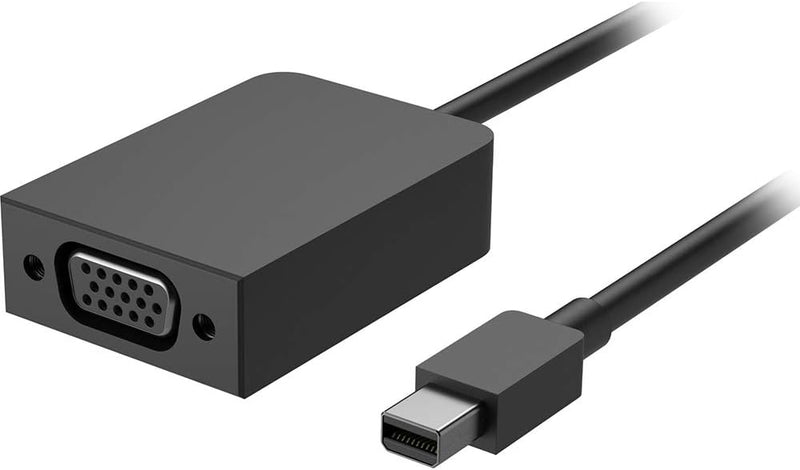
Microsoft EJP-00001 Surface Mini DisplayPort to VGA Adapter

4.7 (152 reviews)
DisplayPort

Plug-and-play Mini DisplayPort to VGA adapter that connects any Surface device to legacy VGA monitors and projectors without drivers.

$9.99*
In Stock on Amazon.com
View on Amazon

*Price sourced from Amazon.com. Last updated:Jul 15, 2026.Price and availability are subject to change.

Affiliate Disclosure: Studio Supplies may earn a commission from qualifying purchases made through links on this page, at no additional cost to you. This helps support our editorial team.

Notice a mistake? Let Us Know

Overview

The Microsoft EJP-00001 is a Mini DisplayPort to VGA adapter designed specifically for Surface devices. It performs a digital-to-analog signal conversion, taking the Mini DisplayPort output from your Surface and delivering a standard VGA signal to external monitors, projectors, and displays. There are no drivers to install — Windows recognizes the adapter natively and extends or mirrors your display automatically. The adapter supports resolutions up to 1920x1200 at 60Hz, which covers the resolution ceiling of virtually all VGA-connected displays still in service. As an analog output, it does not carry audio, and it is limited to single-display output with no daisy-chain capability.

This adapter is built for professionals and students who regularly present in environments where VGA is still the available connection — conference rooms, lecture halls, and older classrooms. Its compact size (17.78 cm long) makes it easy to keep in a laptop bag alongside your Surface. The primary use case is straightforward display mirroring or extension for presentations, and it handles that task without fuss. However, it is worth noting that this adapter only serves Surface models with Mini DisplayPort — the Surface Pro 7 and later, Surface Laptop 3 and later, and Surface Go models use USB-C for video output and require a different adapter entirely. Before purchasing, confirm your specific Surface model has a Mini DisplayPort.

Key Features

Package Dimensions: 2.032 cms (L) x 5.334 cms (W) x 17.78 cms (H)

Package Quantity: 1

Product Type: Electronic Adapter

Country Of Origin: China

Specifications

Brand
Microsoft
Model
EJP-00001
Connector Type
Mini DisplayPort to VGA
Compatibility
Surface models with Mini DisplayPort
Color
Black
Package Dimensions
2.032 cm (L) x 5.334 cm (W) x 17.78 cm (H)
Country of Origin
China

Pros & Cons

👍 Pros

  • Native Microsoft design ensures reliable plug-and-play operation with Surface devices — no driver installation or configuration required.
  • Compact form factor at 17.78 cm total length adds minimal bulk to a mobile presentation kit.
  • Converts digital Mini DisplayPort signal to analog VGA, bridging the gap to legacy projectors and monitors still common in conference rooms and classrooms.
  • Supports resolutions up to 1920x1200, which covers the vast majority of VGA-connected displays in active use.

👎 Cons

  • VGA output is analog-only with no audio passthrough, so you'll need a separate audio connection for presentations with sound.
  • Limited to Mini DisplayPort input — incompatible with newer Surface models that use USB-C or Surface Connect for video output.
  • Maximum resolution caps at 1920x1200, making this unsuitable for high-resolution or multi-monitor workflows requiring 4K output.
  • Single-display output only — this adapter does not support daisy-chaining or driving multiple monitors from one port.

Frequently Asked Questions

Microsoft lists compatibility with all Surface models that have a Mini DisplayPort output. This includes Surface Pro 3 through Pro 6, Surface Book 1 and 2, Surface Laptop 1 and 2, and Surface Studio. Note that newer Surface models using USB-C or Surface Connect for video output will require a different adapter.
VGA output through Mini DisplayPort adapters typically supports up to 1920x1200 at 60Hz. This is an analog signal conversion, so you will not get 4K output or HDR — VGA is limited to lower resolutions and does not carry audio.
No. It is a passive-to-active signal converter that is recognized natively by Windows. Plug it into the Mini DisplayPort on your Surface, connect a VGA cable to the other end, and the display should be detected automatically.
Physically it will fit any standard Mini DisplayPort output, but Microsoft only guarantees compatibility with Surface devices. It should work with other Mini DisplayPort sources like older MacBooks or Lenovo ThinkPads, though this is not officially supported.