

Microsoft
Microsoft Ergonomic Kybrd SC Bluetooth Keyboard - Gray
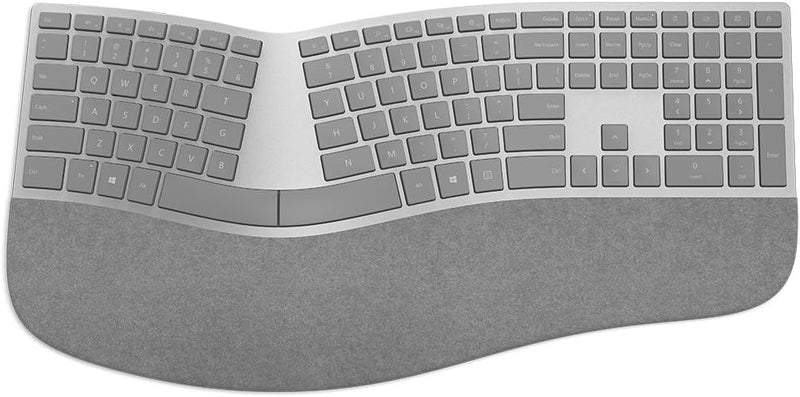
Experience Comfortable Typing with Ergonomic DesignIntroducing the Microsoft Surface Ergonomic Keyboard, designed for comfortable and efficient typing. With its split key design and ergonomic layout, this keyboard promotes a natural hand and wrist position, reducing strain during long typing sess...
View price on Amazon
Affiliate Disclosure: As an Amazon Associate, Studio Supplies earns from qualifying purchases made through links on this page, at no additional cost to you. This helps support our editorial team.
Notice a mistake? Let Us Know
Overview
Experience Comfortable Typing with Ergonomic Design
Introducing the Microsoft Surface Ergonomic Keyboard, designed for comfortable and efficient typing. With its split key design and ergonomic layout, this keyboard promotes a natural hand and wrist position, reducing strain during long typing sessions. The Bluetooth connectivity ensures a clean, wireless setup, perfect for modern workspaces.
- Brand: Microsoft
- Connectivity: Bluetooth
- Keyboard Description: Ergonomic
- Color: Gray
- Number of Keys: 78
- Dimensions: 19.68"L x 10.51"W x 1.65"H
Specifications
Connectivity Technology
Bluetooth
Color
Gray
Frequently Asked Questions
What color is the Microsoft Ergonomic Bluetooth Keyboard?
The Microsoft Ergonomic Bluetooth Keyboard is available in a sleek gray finish.
What type of connectivity does this keyboard use?
This keyboard uses Bluetooth connectivity, allowing for a wireless connection to compatible devices.
Is this keyboard designed for comfort during long typing sessions?
Yes, it is an ergonomic keyboard, specifically designed to enhance comfort and reduce strain during extended use.
Does this keyboard require a wired connection to operate?
No, the Microsoft Ergonomic Keyboard connects wirelessly via Bluetooth, eliminating the need for a physical cable.
Is this keyboard specifically for Microsoft devices?
While it is a Microsoft product, its Bluetooth connectivity allows it to be used with a variety of compatible devices.
Related Products


