Microsoft

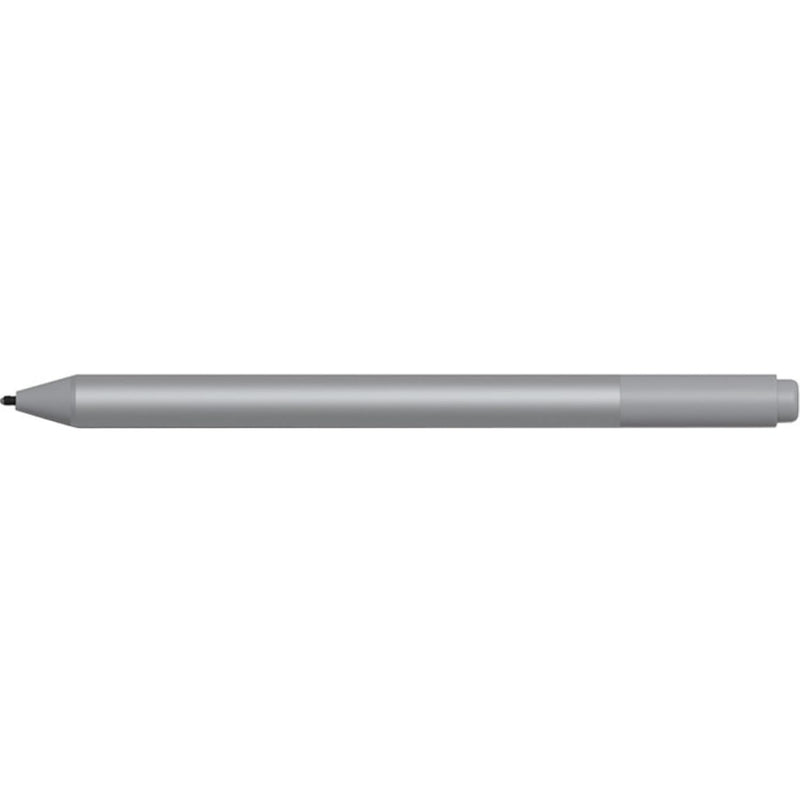
Microsoft EYV-00009 Surface Pen: Enhanced Sensitivity

4.5 (224 reviews)

4,096 levels of pressure sensitivity and tilt support turn the Surface screen into a precise digital canvas

$62.00*
In Stock on Amazon.com
View on Amazon

*Price sourced from Amazon.com. Last updated:Jul 14, 2026.Price and availability are subject to change.

Affiliate Disclosure: Studio Supplies may earn a commission from qualifying purchases made through links on this page, at no additional cost to you. This helps support our editorial team.

Notice a mistake? Let Us Know

Overview

The Microsoft Surface Pen (EYV-00009) is an active stylus built around the Microsoft Pen Protocol, delivering 4,096 levels of pressure sensitivity and tilt detection to compatible Surface devices. In practical terms, those 4,096 pressure levels mean the pen can distinguish between the lightest sketch line and a full-pressure stroke with four times the granularity of its 1,024-level predecessor. Tilt support adds another input axis, allowing applications like Photoshop, Sketchable, and OneNote to vary stroke width and opacity based on the angle of the pen — a behavior that mirrors how a traditional pencil or brush responds to hand position. The rubber eraser on the tail end is both functional and programmable via Bluetooth: flip to erase in any inking app, or configure a single click to launch a shortcut.

The pen is powered by a single AAAA battery, which Microsoft estimates lasts around 12 months under typical use. This eliminates charging downtime but introduces a minor inconvenience in sourcing a less common battery format. Build quality is solid — the aluminum barrel has a balanced weight that feels natural during extended sessions, and the magnetic flat edge snaps securely to Surface bezels for storage. This pen is built for users who rely on their Surface as a creative or note-taking tool: digital artists, students annotating lecture slides, and professionals marking up documents. The interchangeable pen tip system (sold separately) lets you dial in the on-screen friction to your preference, rounding out a stylus that prioritizes input precision and workflow integration over flashy extras.

Key Features

Easy to handle

Specifications

Brand
Microsoft
Model
EYV-00009
Pressure Sensitivity
4,096 levels
Tilt Support
Yes
Eraser
Rubber eraser (tail end)
Battery
1× AAAA (included)
Protocol
Microsoft Pen Protocol (MPP)
Attachment
Magnetic

Pros & Cons

👍 Pros

  • 4,096 pressure levels deliver granular stroke control that captures subtle pressure shifts in drawing and handwriting applications
  • Tilt functionality enables natural pencil-like shading effects in compatible creative software
  • The built-in rubber eraser on the tail end provides intuitive, flip-to-erase workflow without switching digital tools
  • AAAA battery design means no charging cable or dock required — swap the cell and resume working immediately
  • The pen magnetically attaches to Surface device bezels for quick stowage and transport

👎 Cons

  • The AAAA battery is a less common cell type, which can be inconvenient if you need a replacement while traveling
  • No built-in rechargeable battery means ongoing consumable cost, unlike competing pens with USB-C charging
  • The single programmable button on the barrel offers limited customization compared to pens with multiple shortcut buttons
  • Initial Bluetooth pairing for the eraser button's shortcut features can occasionally require re-pairing after firmware updates
  • Palm rejection accuracy depends on the host device's firmware — some older Surface models may exhibit occasional false touches

Frequently Asked Questions

The EYV-00009 Surface Pen works with Surface Pro 3 and later, Surface Go, Surface Book, Surface Laptop, and Surface Studio models that support Microsoft Pen Protocol (MPP). Check Microsoft's compatibility list if you are using an older or non-Surface device, as MPP support varies.
Previous-generation Surface Pens offered 1,024 pressure levels. The jump to 4,096 levels means the pen registers significantly finer variations in stroke weight, which translates to smoother gradients in drawing apps and more natural handwriting with variable line thickness.
Tilt detection allows compatible apps like Sketchable, Photoshop, and OneNote to vary the stroke based on the angle you hold the pen, similar to shading with a pencil. This is most useful in illustration and sketching workflows where natural media emulation matters.
It runs on a single AAAA battery (included). Microsoft rates battery life at approximately 12 months of typical use. The pen has no rechargeable battery, so you will need replacement AAAA cells — a less common size, but readily available online.
Yes. Microsoft sells Surface Pen tip kits with different tip profiles (2H, H, HB, B). Swapping tips is tool-free and takes seconds, letting you adjust the friction and feel to match your writing or drawing preference.